MY ROLE
UX and UI design
RESPONSIBILITIES
Product research, workflow design, and developer collaboration
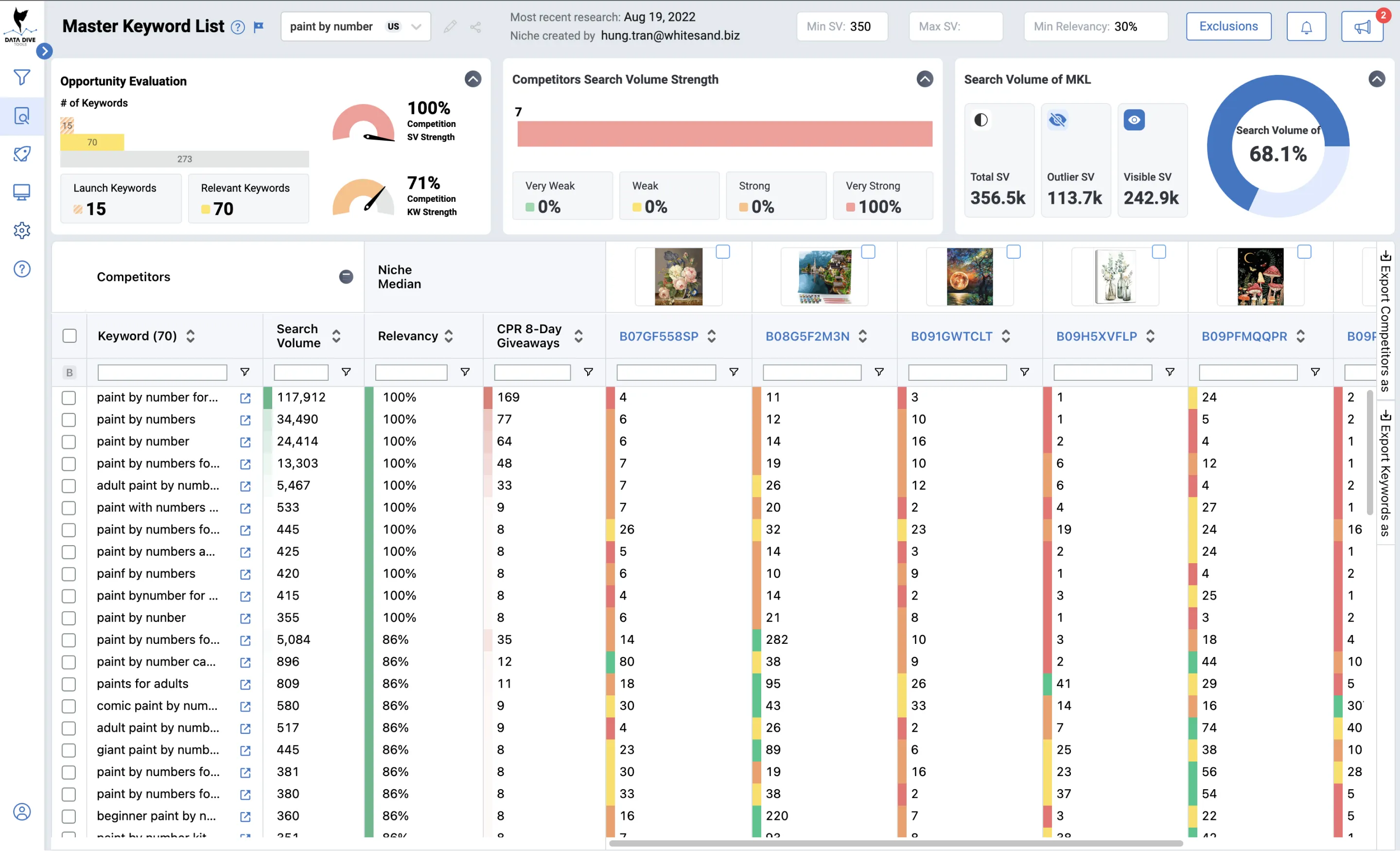
DataDive is a product research toolkit for Amazon sellers that automates the data collection and analysis from various sources, such as Helium 10, Google Trends, and Amazon Seller Central. I worked on several features including: Master Keyword List, Listing Builder, and PPC Campaign.
AN OVERVIEW OF
FEATURES I WORKED ON
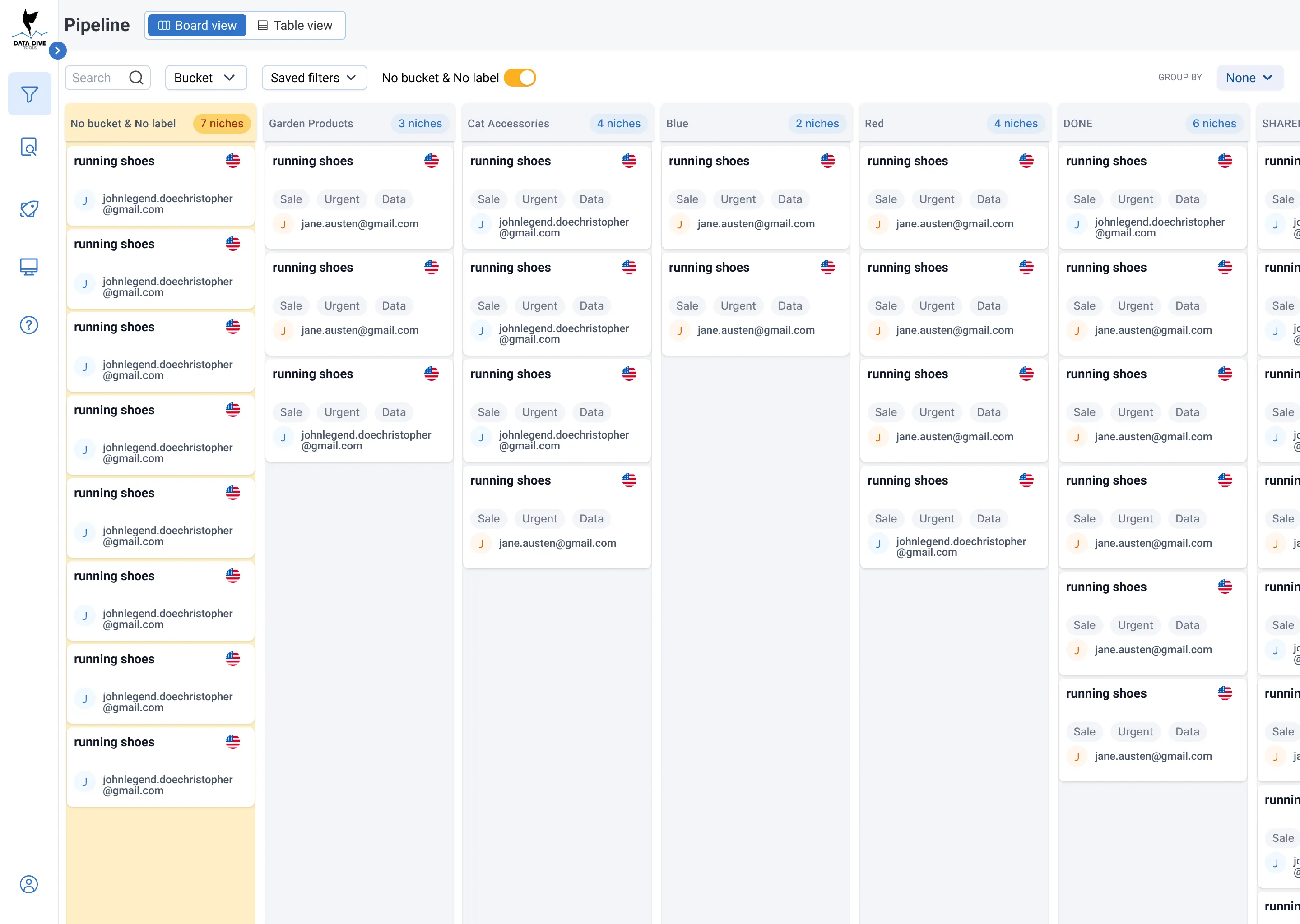
Board View for Niche Pipeline
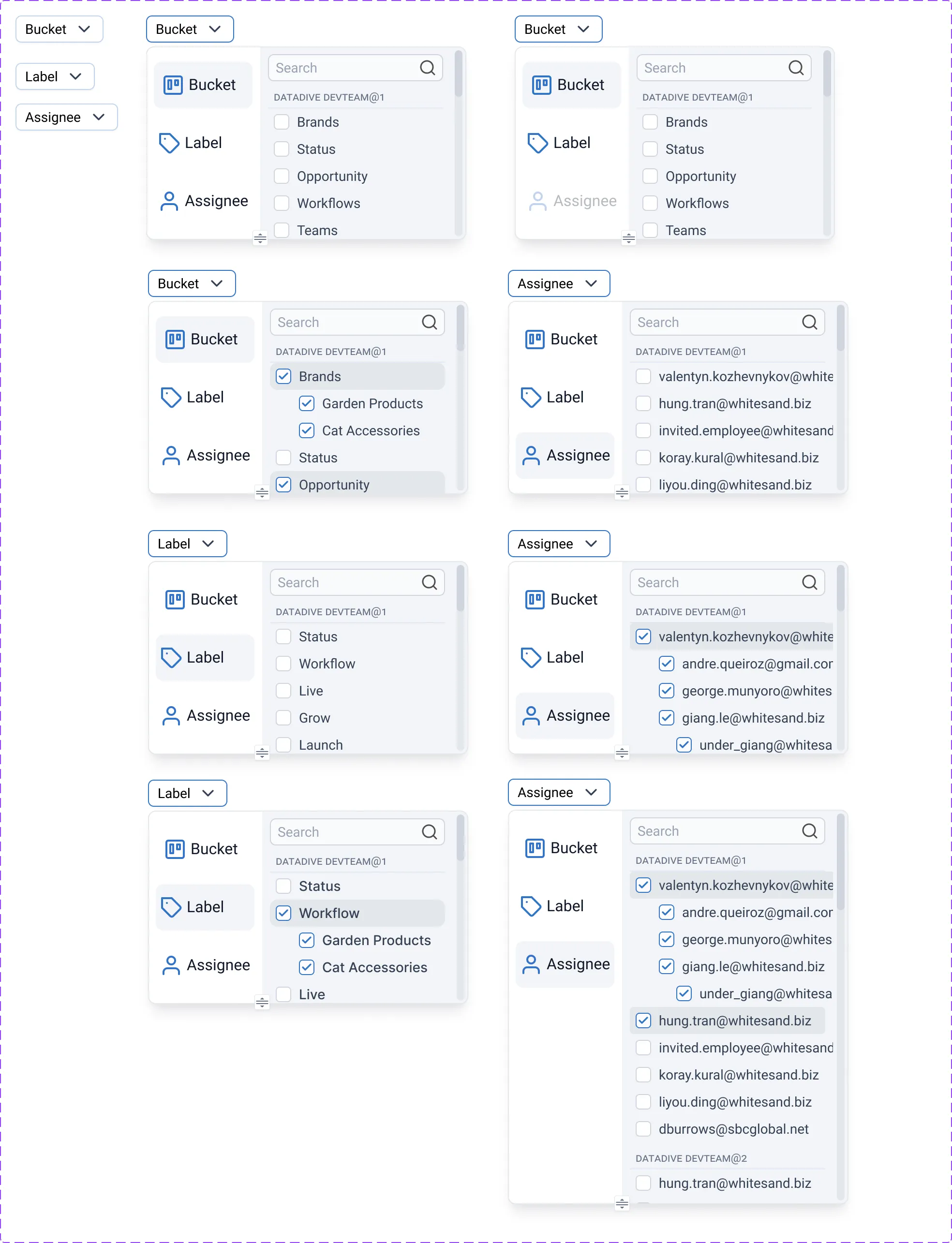
Bucket Component for Board View
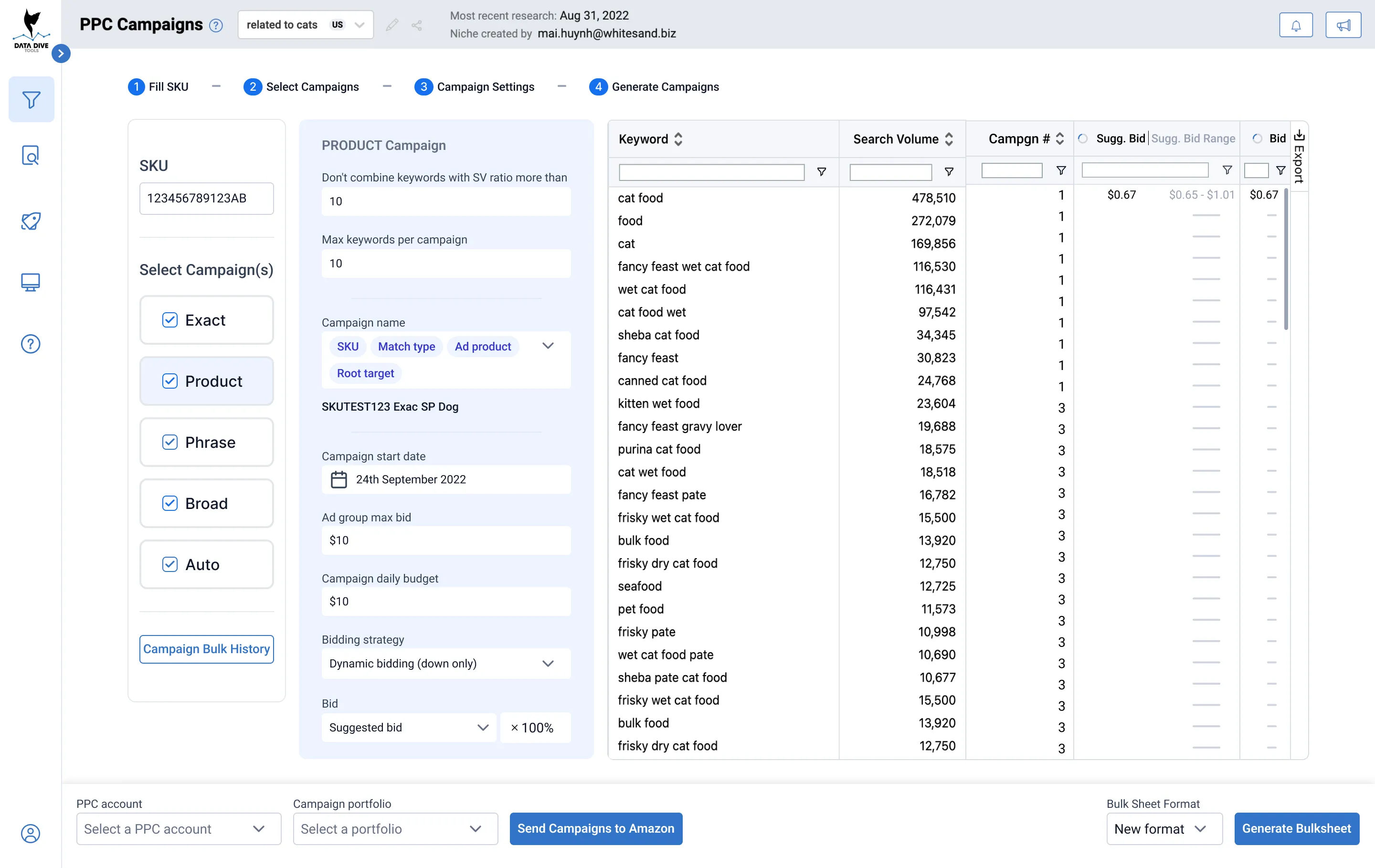
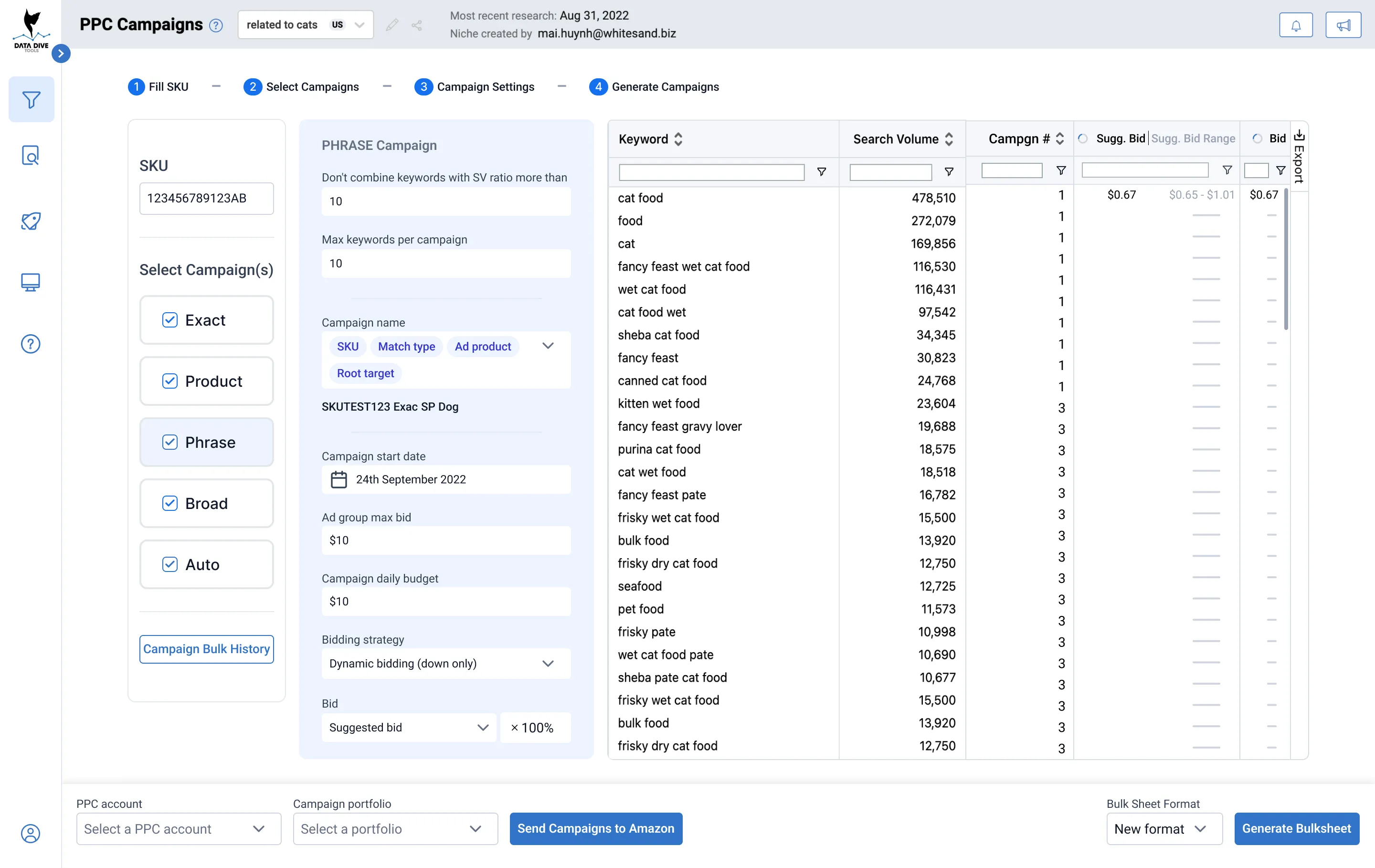
PPC Campaign
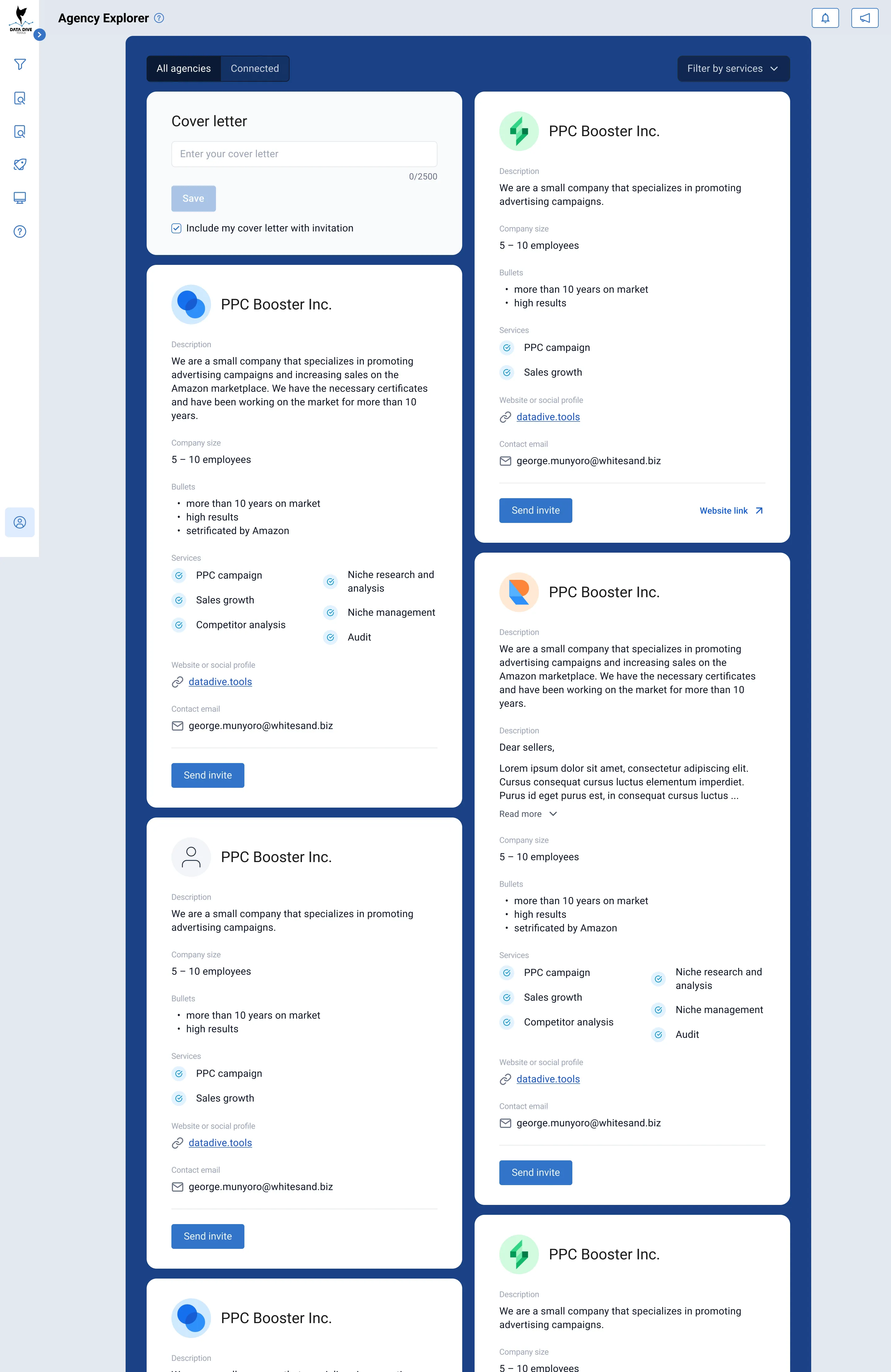
Agency Explorer (a marketplace for individual Amazon seller to connect with marketing agencies)
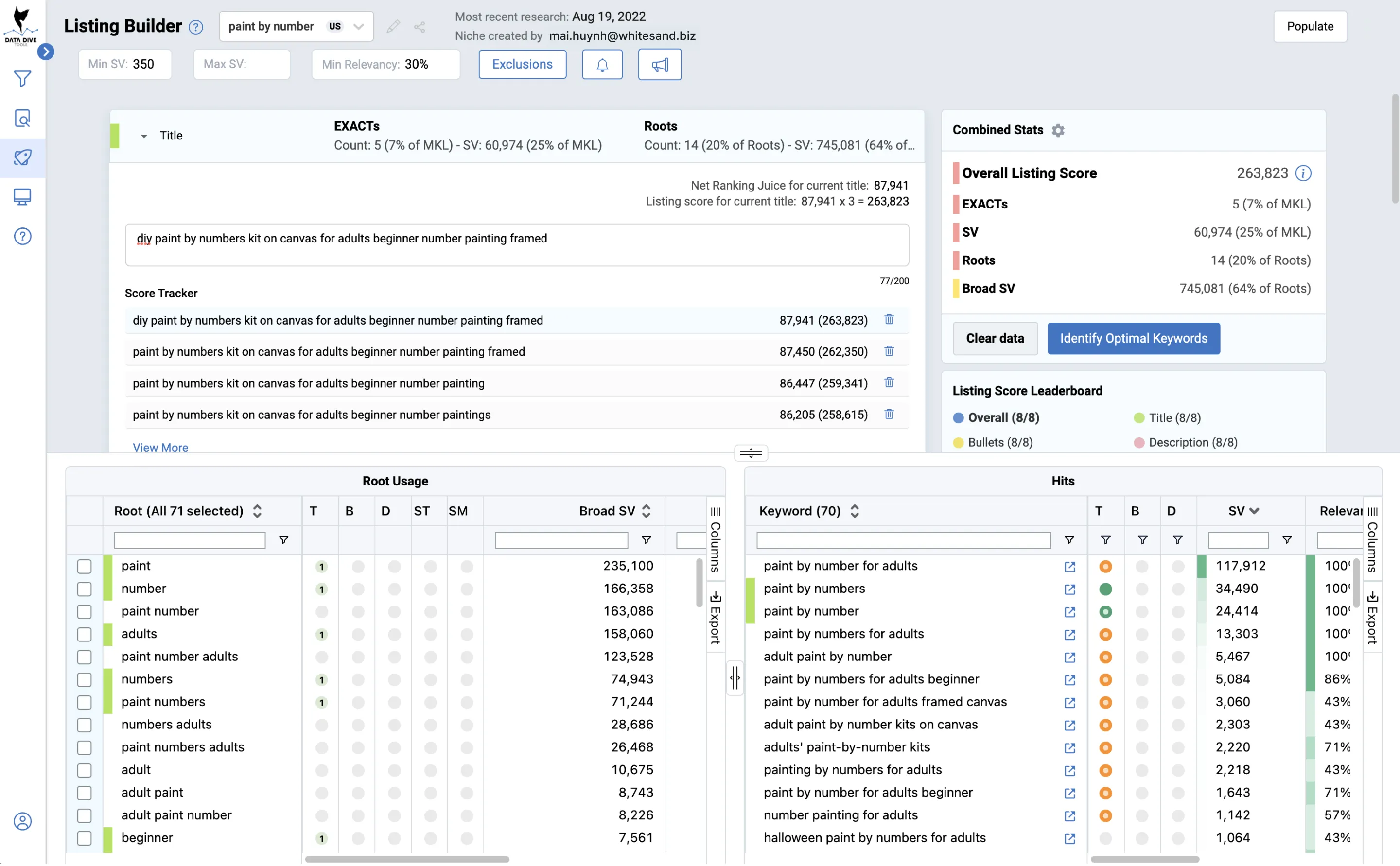
Listing Builder
FEATURED CASE STUDIES
PPC Campaign
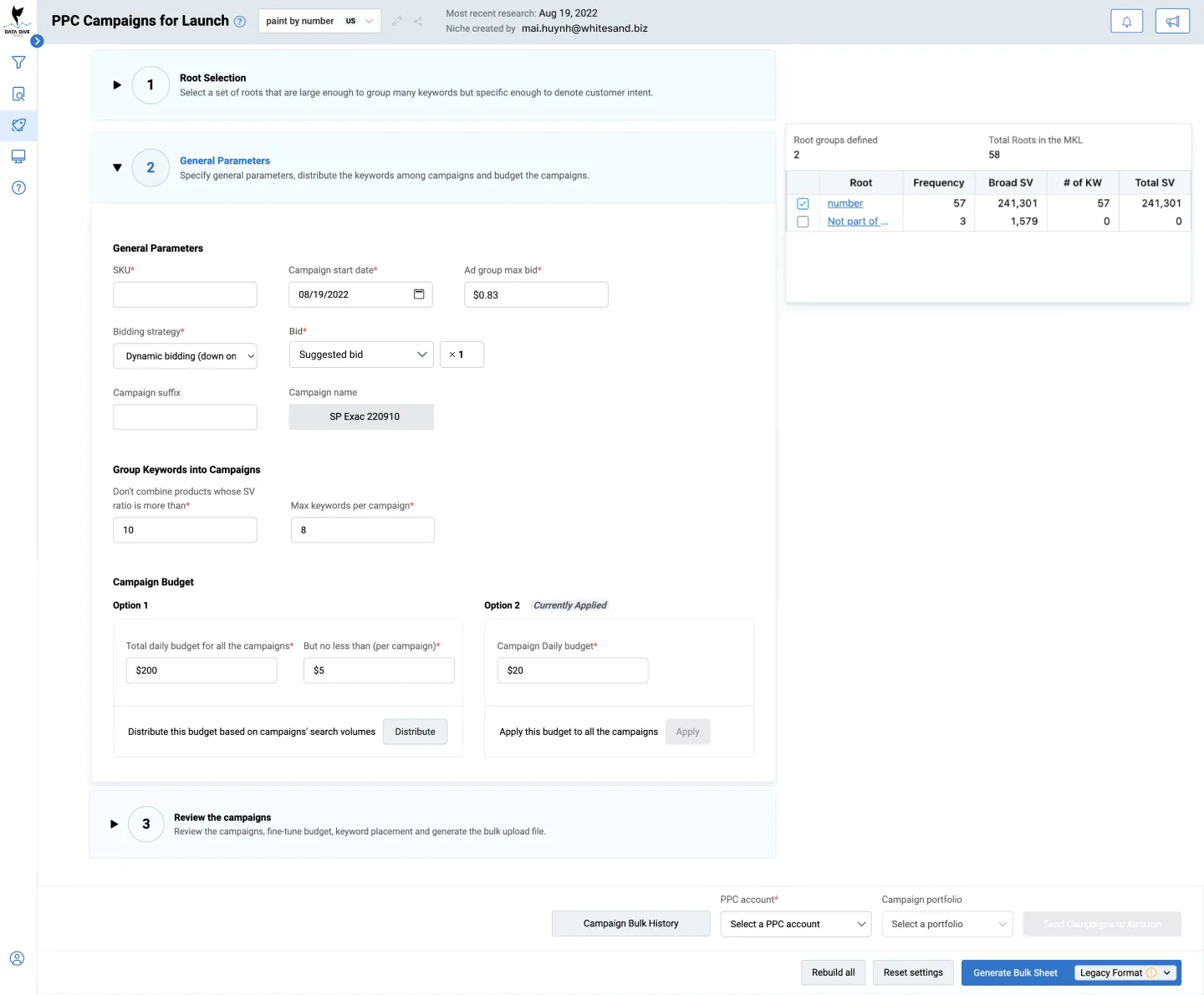
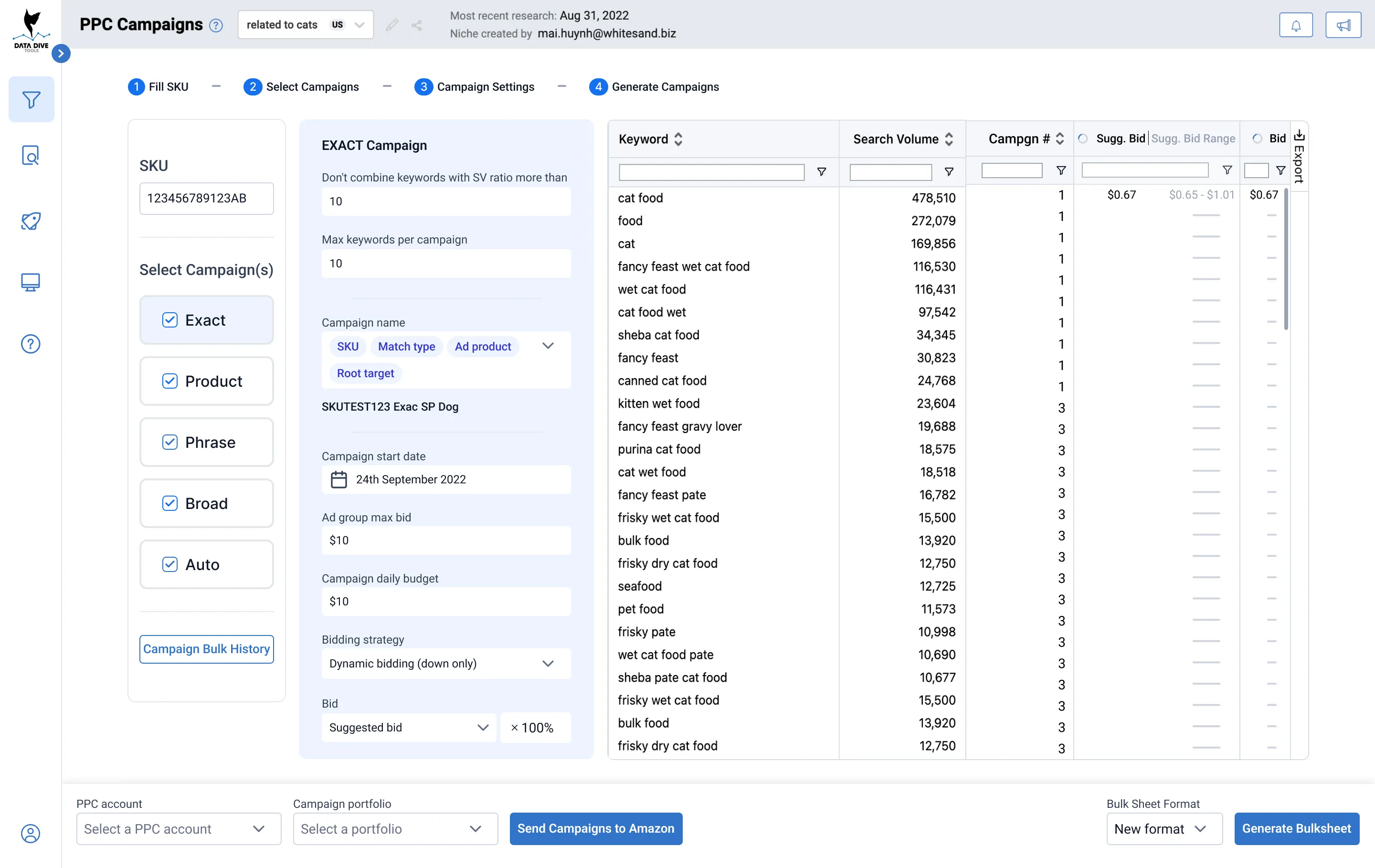
01 / Project context
Context
The web app had been more than 1 year old when I joined the company. Most of the designs were done entirely by the software engineers in the team (I know, mind blowing 🤯!).
I learned a lot of legacy problems and technical debts from the engineers here. They're some of the best people I'd ever worked with.
From their knowledge, I understood that even though some functions might seem obvious for better UX, but it'd take the engineers months to solve the technical debts related to the function, and then build the thing. I resolved to work with what I could.
The pace was rather hectic, so I didn't have time to do thorough research on domain knowledge and the advertising campaign system.
02 / Research & approach
Research
"Why not the native ads platform from Amazon?"
This was my first question when it came to using a third-party tool. Why not the native one?
Amazon's native advertising platform within Seller Central offers a basic setup for PPC (Pay-Per-Click) campaigns, but many sellers look for more advanced tools and software because the native system of Amazon cannot solve these problems:
Amazon's native advertising platform within Seller Central offers a basic setup for PPC (Pay-Per-Click) campaigns, but many sellers look for more advanced tools and software because the native system of Amazon cannot solve these problems:
- Keyword Research: DataDive integrates keyword research functionalities (which is Master Keyword List), offering suggestions or even automating the process of finding and testing new keywords.
- Bulk Changes: DataDive provides bulk editing features that allow sellers to make changes across many campaigns or ad groups quickly.
- Lack of competitive advantage: Amazon sellers usually struggle to differentiate themselves from their competitors on Amazon. They may not know how to create unique product listings that stand out from the crowd. With DataDive integration, they can research keywords for their ads campaign and import those keywords into their campaign seamlessly.
- Integration with Professionals: DataDive provides a marketplace of marketing agencies that can help sellers manage their campaigns, and run the campaigns on the sellers' behalves.
"How about other third-party tools? DataDive direct competitors?"
My next question was, what made us more competitive than other tools on the market?
There are several direct competitors with DataDive on the market that also offer sellers similar optimisations through their PPC launcher, like Helium 10 and Keepa.
However, based on the features and benefits of DataDive’s products, DataDive offers a comprehensive suite of tools that can help Amazon sellers find and sell niche products on Amazon all the way from having nothing to creating a profitable listing.
The Listing Builder feature of DataDive provides Amazon sellers with data-driven insights to optimize their product listings and maximize organic keyword rank. The Master Keyword List tool helps Amazon sellers identify profitable keywords and analyze their competitors’ strategies.
- Listing Builder tool provides Amazon sellers with data-driven insights to optimize their product listings and maximize organic keyword rank.
- Master Keyword List tool helps Amazon sellers identify profitable keywords and analyze their competitors’ strategies.
- PPC Campaign tool optimises sellers' ad campaigns and effort for maximum ROI.
03 / Design decisions
Design Specs
From the research questions and their answers above, I presented the design requirements to my stakeholders to see if it matched their vision.
Design Requirements
✏️ Bulk Edits: Allow users to select multiple campaigns, ad groups, or keywords and make bulk changes easily.
✏️ Advanced Filtering: Offer filtering options to allow users to view campaigns by performance, date range, product, etc.
✏️ Automated Bidding Strategies: Provide automated bidding options based on user-set goals (e.g., target ACoS).
✏️ Keyword Suggestions: Integrate the Master Keyword List that suggests relevant keywords based on the product and competitor analysis.
✏️ Alerts & Notifications: Allow users to set up custom alerts for metrics like spend, sales, ACoS, etc.
✏️ Ad Scheduling Interface: A visual interface to easily set up day parting for campaigns
04 / Collaboration & iteration
Collaboration & Iterations
After a few discussions with the PM and the corresponding developers, I made some draft versions to walk the developers through the flow.
It was extremely useful to collab with the developers when they could show me or ask me about some edge cases that never on Earth I could ever come up with.
One of challenge for me was that formats for the ads bulk sheet in Amazon. After sellers have done with setting up the campaign in DataDive, they need to send the campaign to Amazon seller central. However, there were 2 different formats ("Legacy" and "New") and these formats could only be specified by the system after sellers triggered to generate the bulk sheet. After being triggered, the format would then be showed to sellers.
After discussion with the developer, then we came up with a not-the-best UX button, but at least it clarified for users the formats, and we could always go back and improve it later.
I guess modern problems require modern solutions.
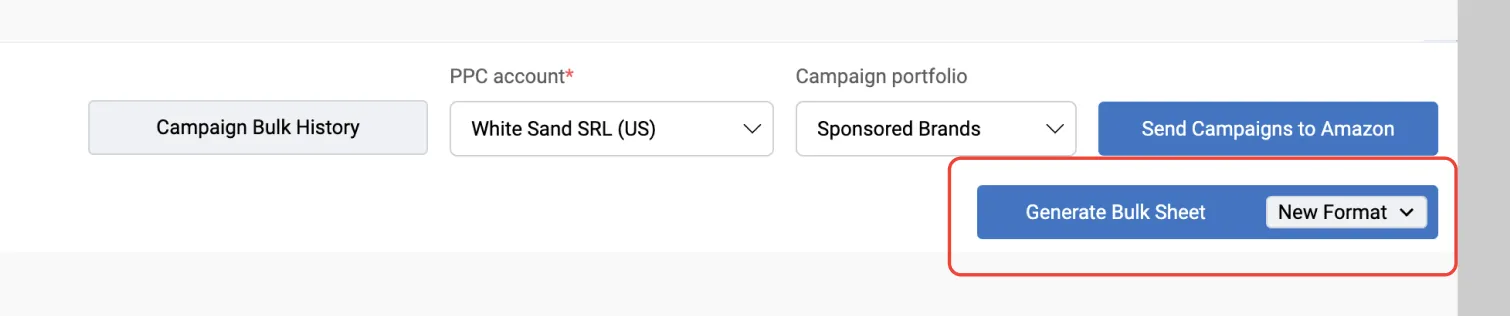
The button
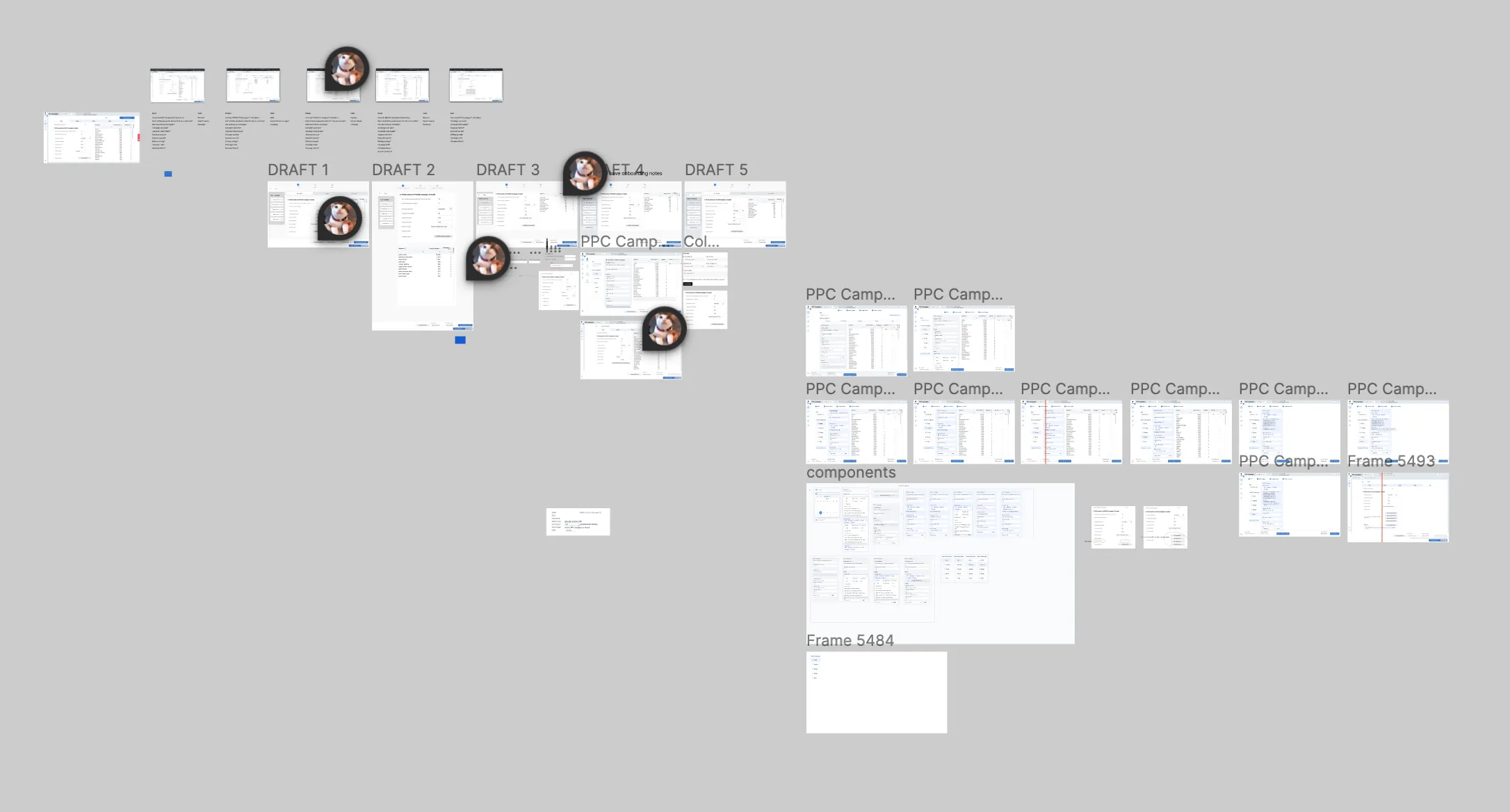
The feature was discussed openly mainly on Slack channels. The figma draft here was mostly for me to test out ideas and passed them to the developers quickly for them to confirm whether the function was feasible or to confirm the estimation.
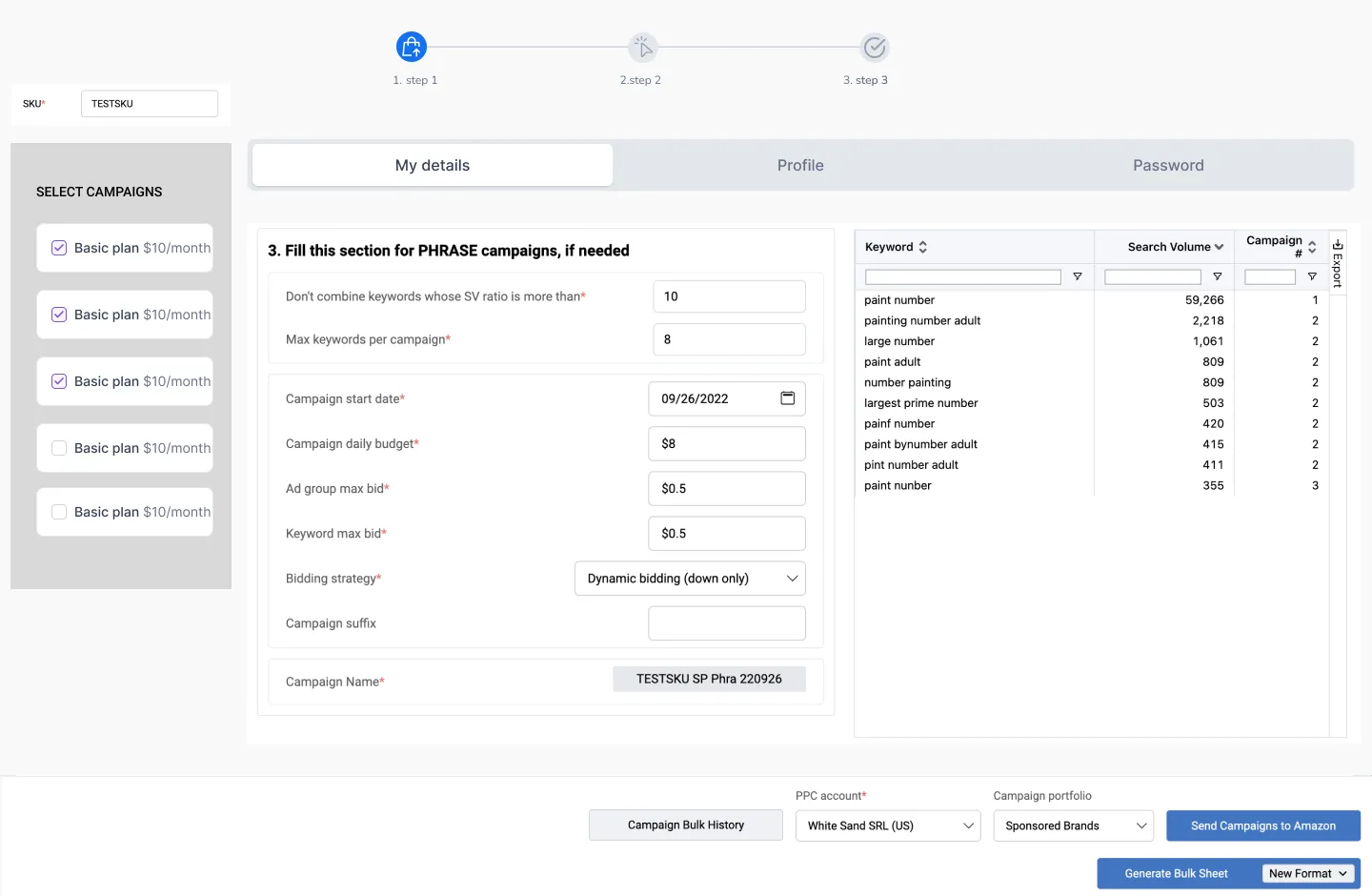
Draft version
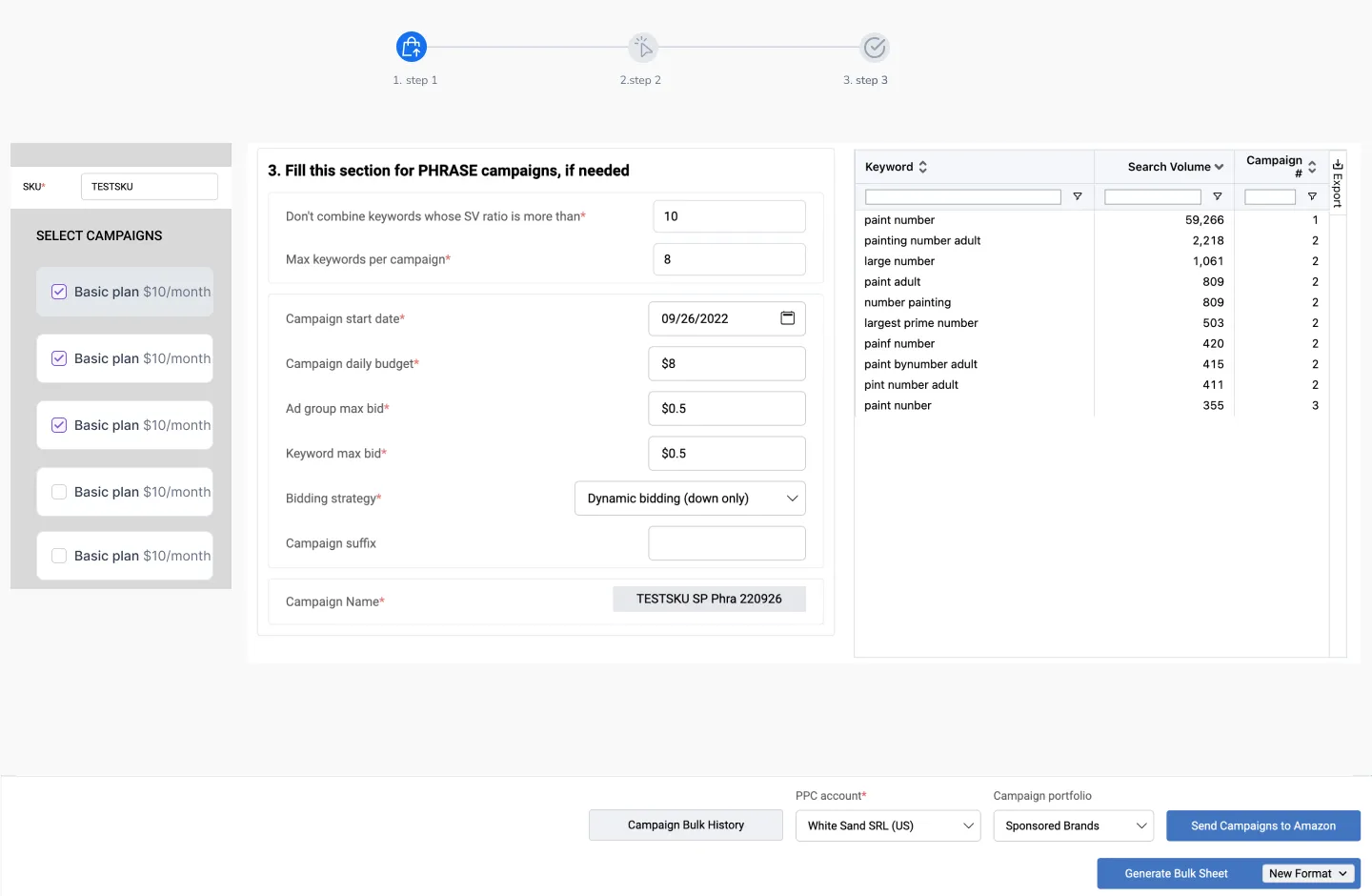
Draft version
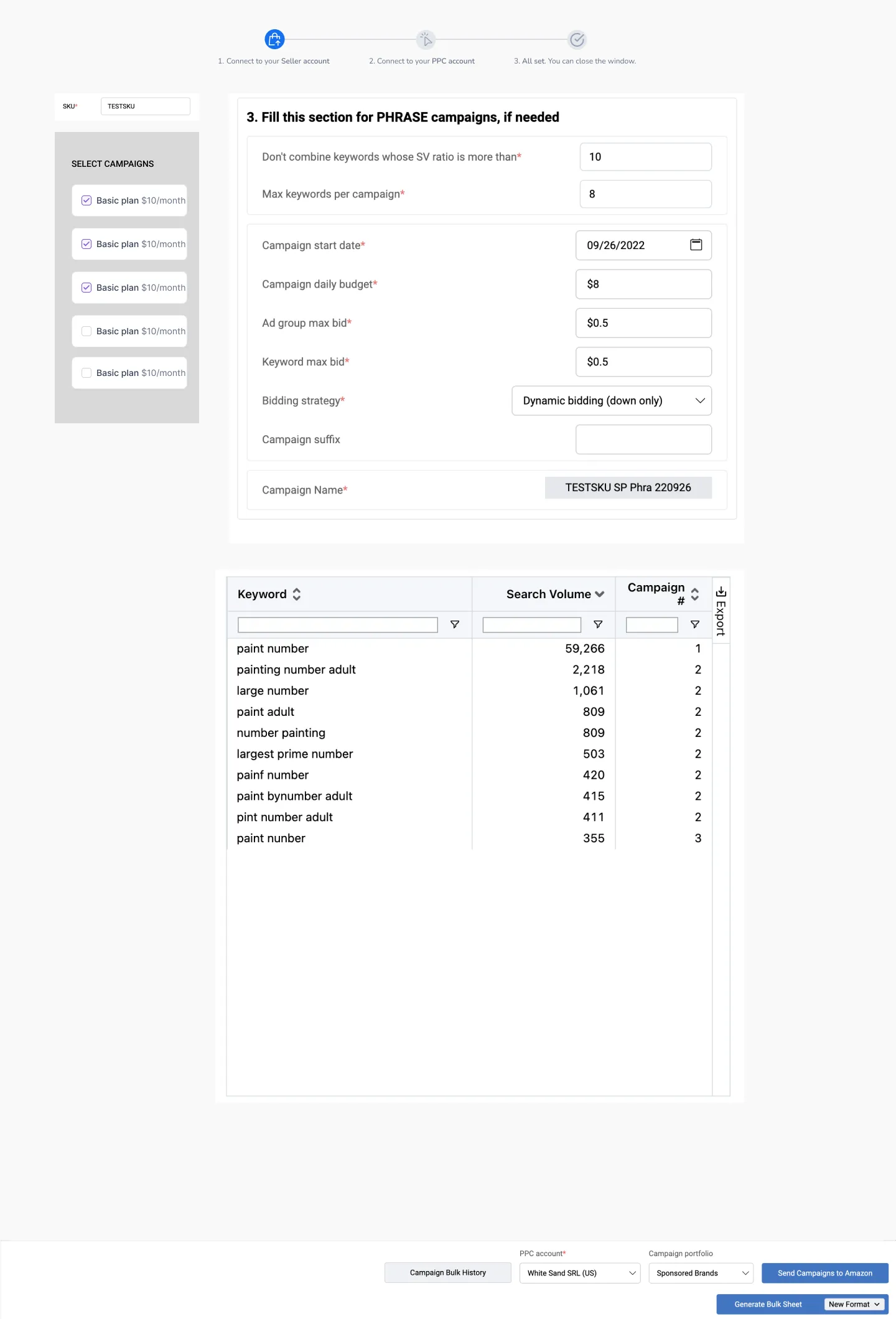
Draft version
05 / Design decisions
Final Design
After some discussions with the developers and PM, we finalised the design as below.
Exact Campaign
Product Campaign
Phrase Campaign
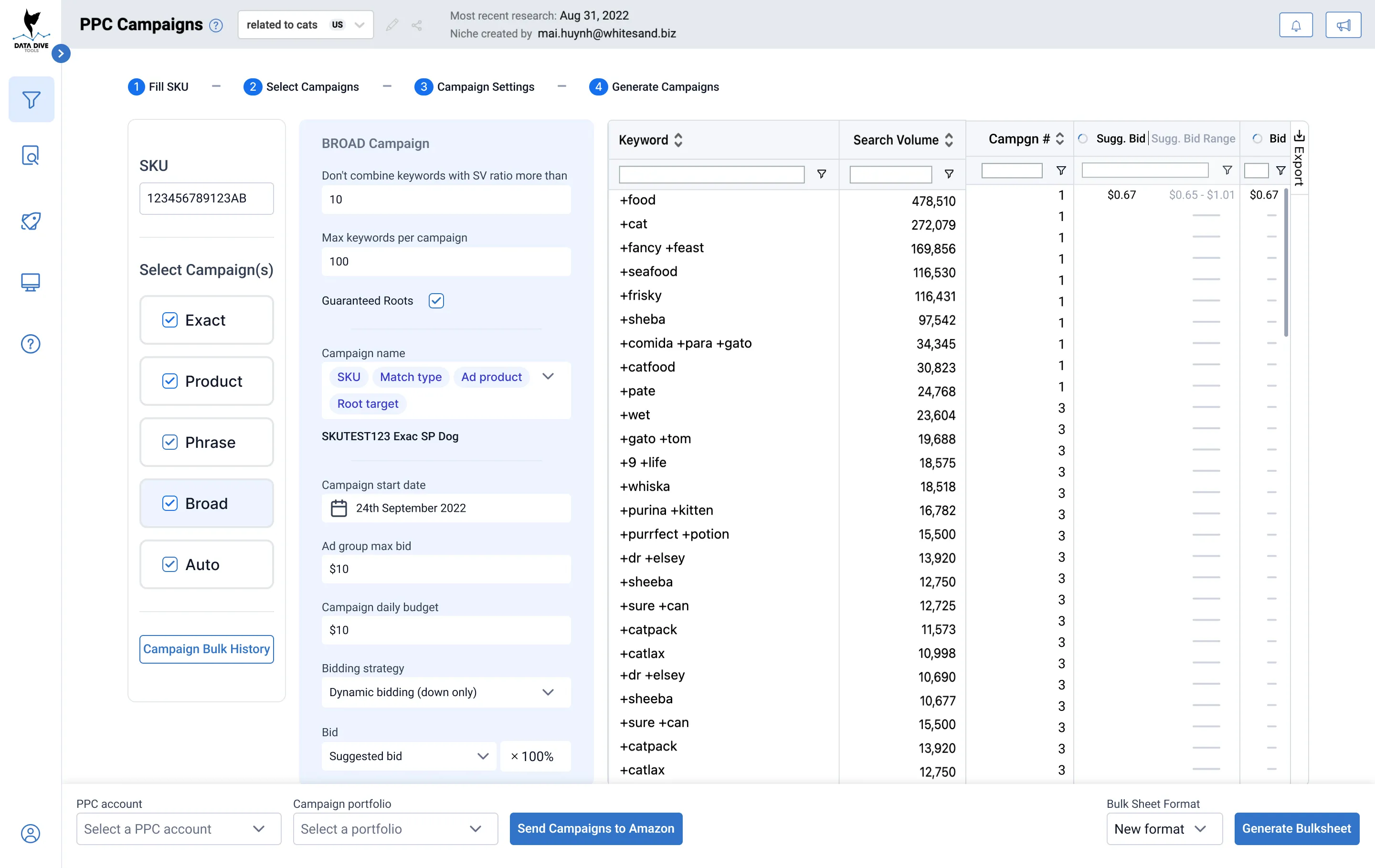
Broad Campaign
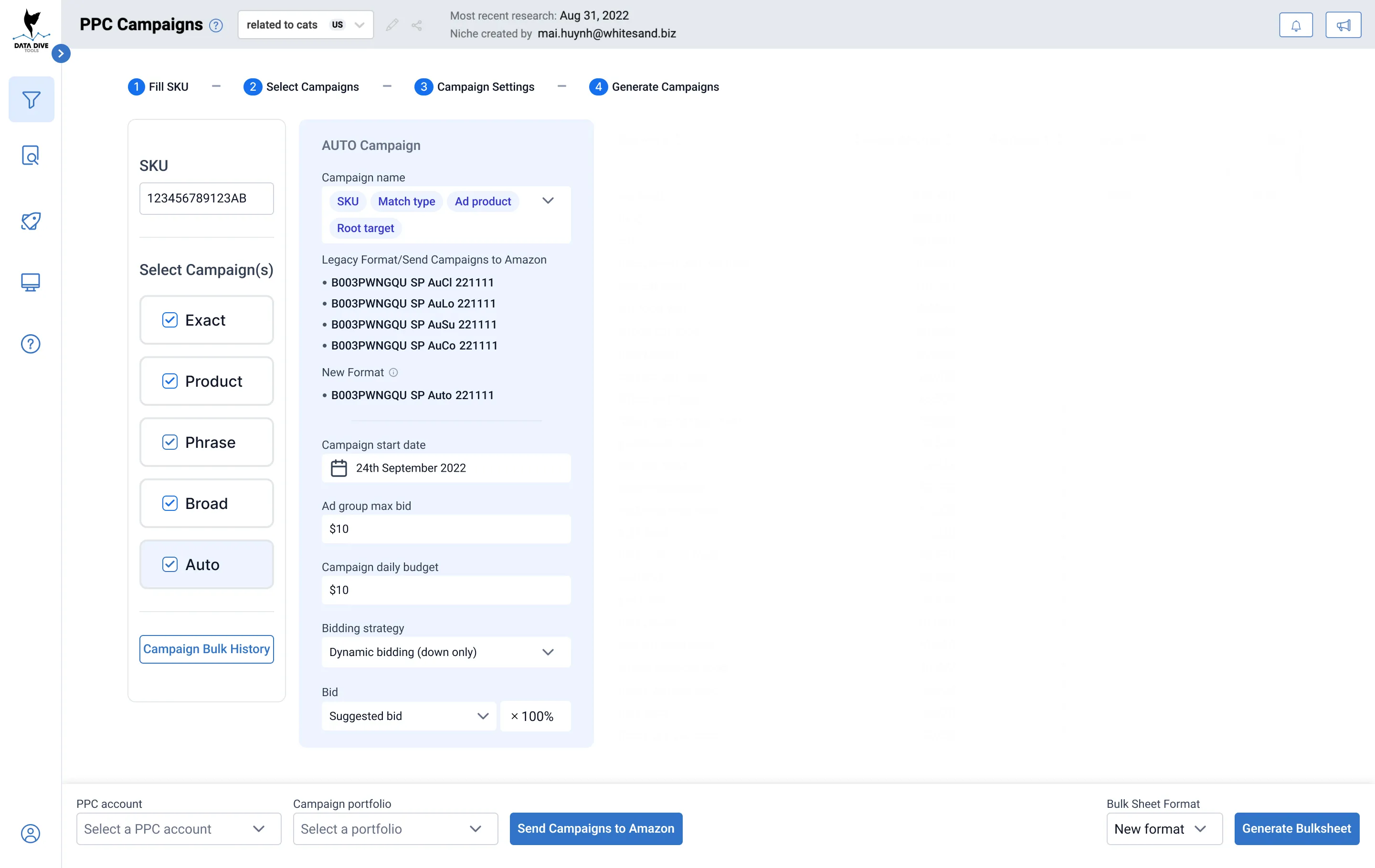
Auto Campaign
06 / Outcome & reflections
Key Takeaways
Integration Challenges
📦 Challenge: While integration with Amazon's API and other platforms offers immense value, it also brings technical challenges that need robust solutions.
💡 Solution: Allow the app to have some waiting stage with multiple value being sent or empty. It slightly affects the UX but users get it after using for a few times.
💡 Solution: Allow the app to have some waiting stage with multiple value being sent or empty. It slightly affects the UX but users get it after using for a few times.
Deep Domain Knowledge Enhances Design Effectiveness
📦 Lesson: Simply understanding design principles and user experience isn't enough when creating a specialized tool like a PPC campaign launcher for Amazon. A thorough understanding of the business domain, specifically how sellers conceptualize, run, and manage their ads, is pivotal. Without this understanding, even a well-intended design can miss the mark, failing to cater to the unique intricacies of the ad creation and management process.
💡 Learned: By spending many hours watching how ad agencies and individual sellers setting up and running their campaign, the design becomes more than just a surface-level solution; it becomes an intuitive extension of the seller's workflow. This leads to higher user satisfaction and adoption, as the tool "thinks" more like the user and anticipates their needs in a nuanced manner.
💡 Learned: By spending many hours watching how ad agencies and individual sellers setting up and running their campaign, the design becomes more than just a surface-level solution; it becomes an intuitive extension of the seller's workflow. This leads to higher user satisfaction and adoption, as the tool "thinks" more like the user and anticipates their needs in a nuanced manner.