Motion Design
MY ROLE
Visual design, animation, and video editing
FOCUS
A product explainer for prospective Agents Only clients
EVIDENCE
Storyboards, video iterations, and stakeholder feedback

MOTION DESIGN
When a product designer wears the motion hat
01 / Project context
But...but why?
Let's get it straight to the point. Working at startups ain't no easy peasy. It's a rollercoaster of highs and lows, where each day brings new challenges and opportunities. I'm often wearing multiple hats, juggling various roles from marketing to product development.
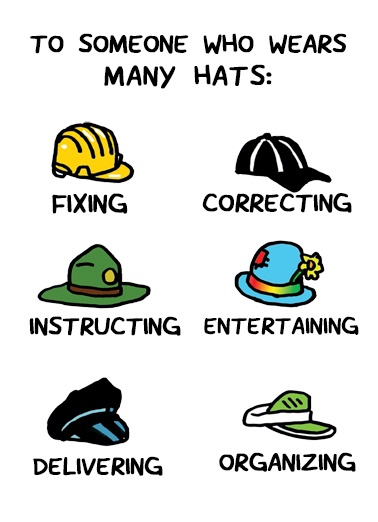
Source: Quora
02 / Scope & direction
The Brief
"60-sec video - We need a short product explainer/intro video"
- 💁 Target audience: Entrepreneurs and Heads of CX, Ops of Modern, and Tech companies (small to medium business).
- 🎯 Objective: Create awareness and pique interest about AO solution
- ✏️ Requirement: Create a rough version of a video based on the provided script.
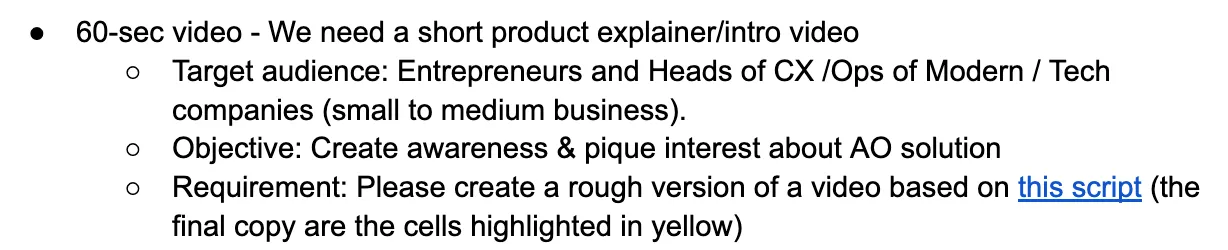
The original brief
03 / Design process
My workflow
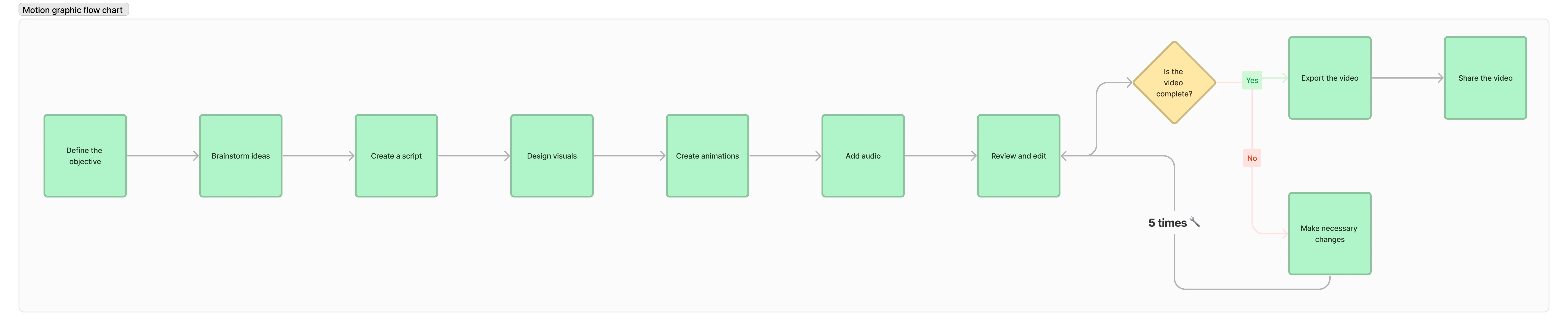
The total number of times that I've worked with After Effects is probably less than 10. Mind you, I'm no professional animator and this is no way a world-class motion graphic video but boy did I try with sweat and tears 💦.
- Define the objective: Establish the purpose and goals of the motion graphic to guide its design and message.
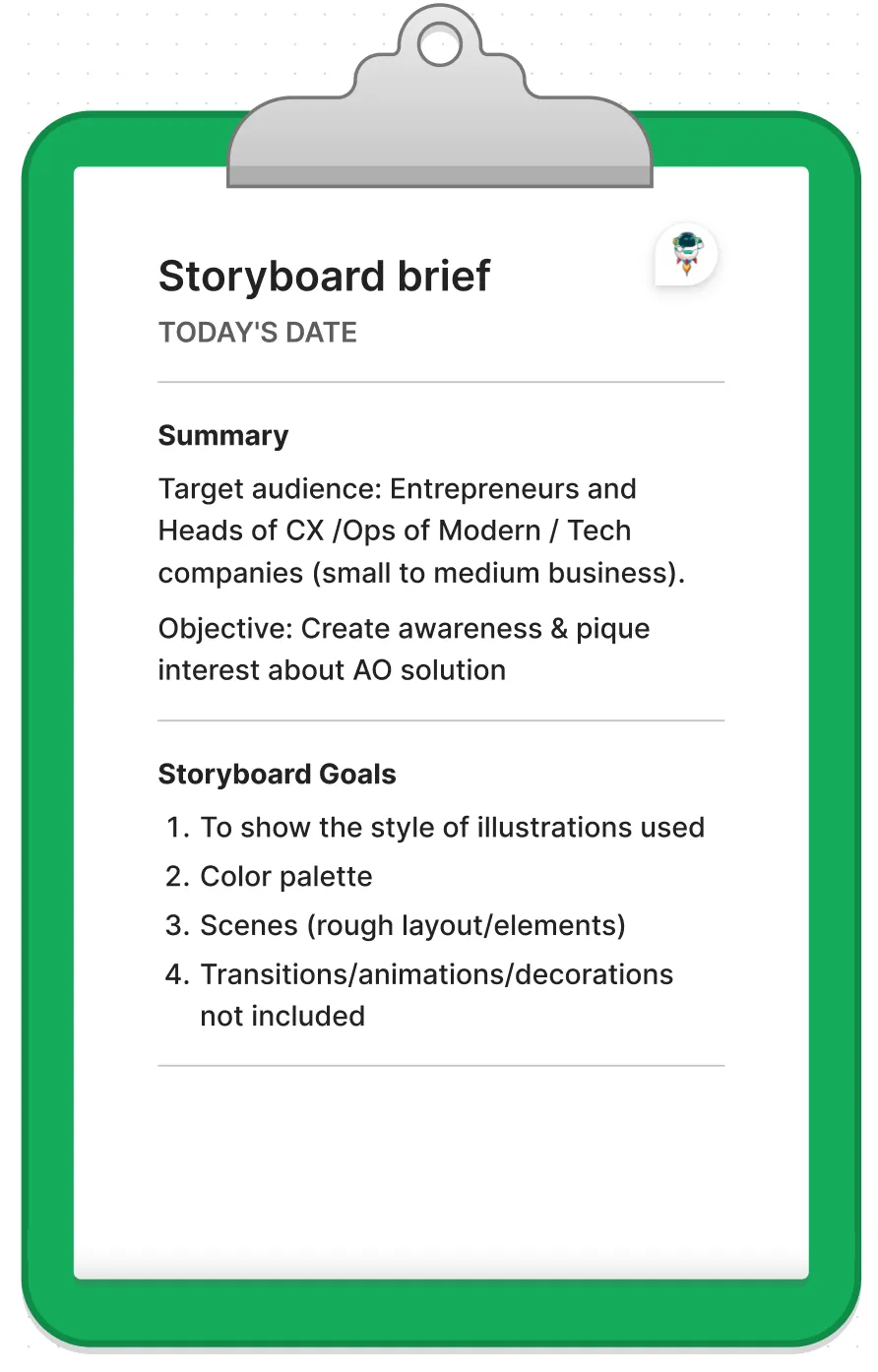 My brainstorm
- Brainstorm ideas: Generate some concepts and approaches that could achieve the defined objective.
- Create a script: The marketing and operations team brainstorm in advance the script so that it aligns with the message Agents Only wans to send to potential clients.
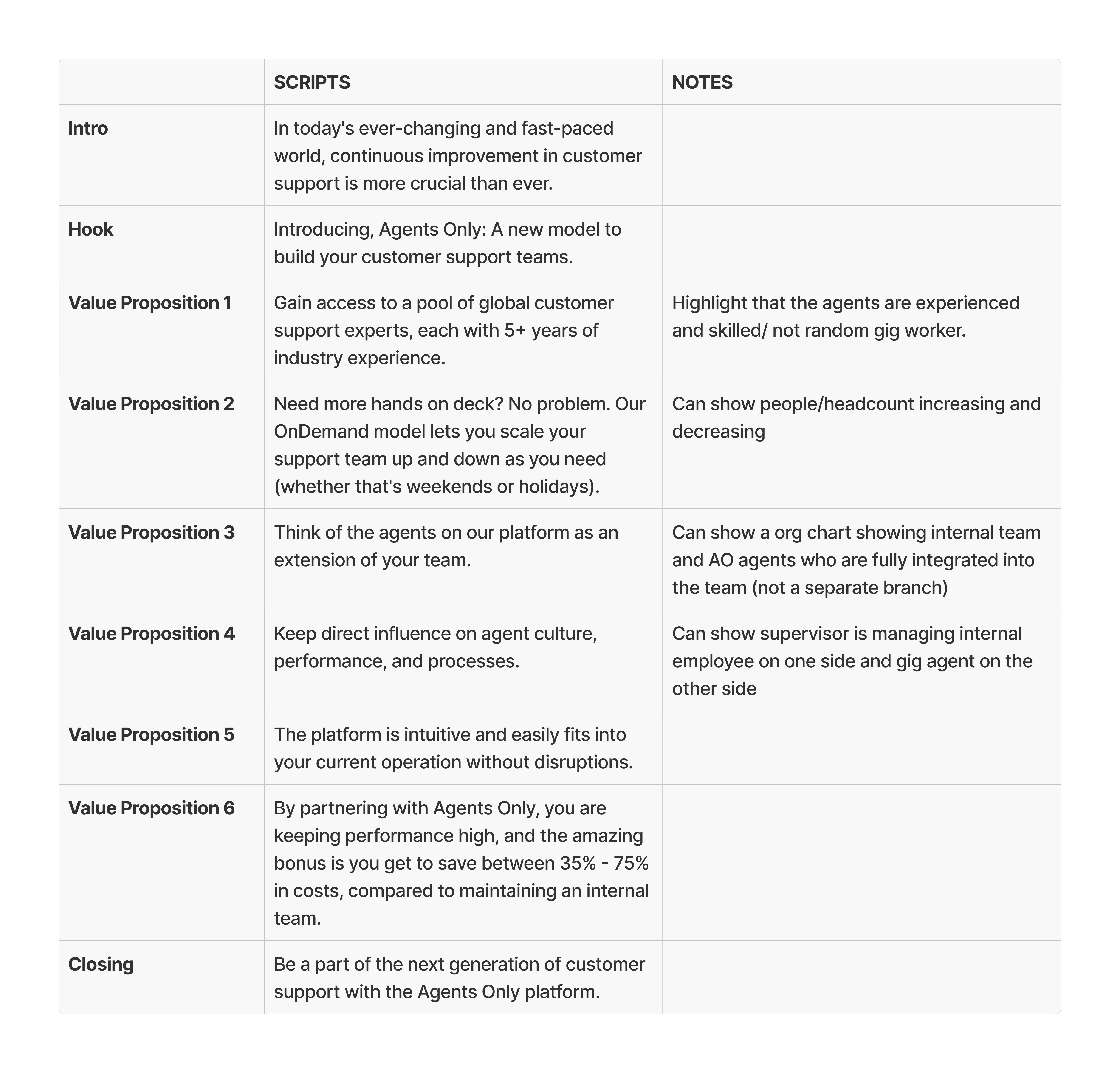 The script and notes from Ops team
- Design visuals: I create the artwork and design elements that will be animated, ensuring they align with the script's direction.
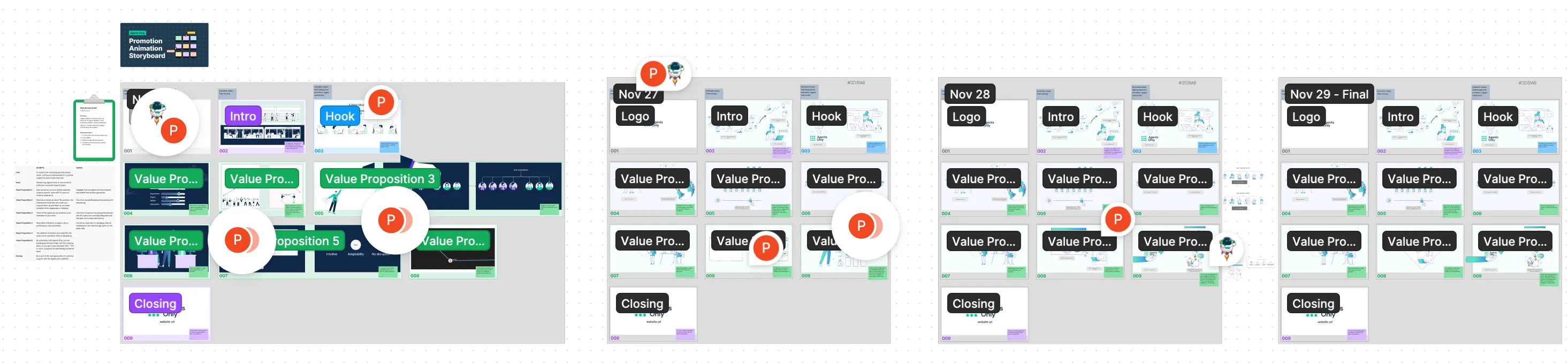 The figjam file we worked on
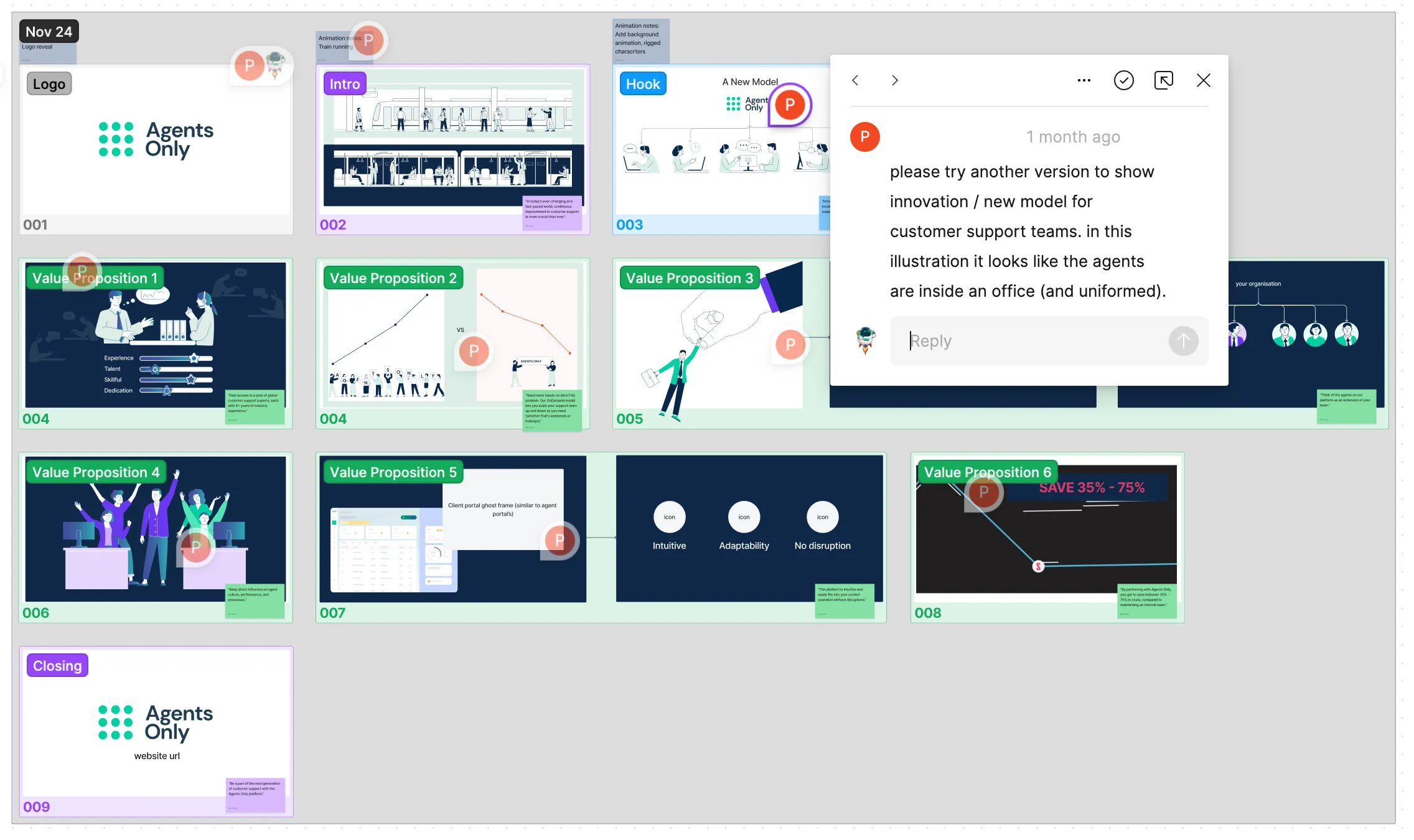
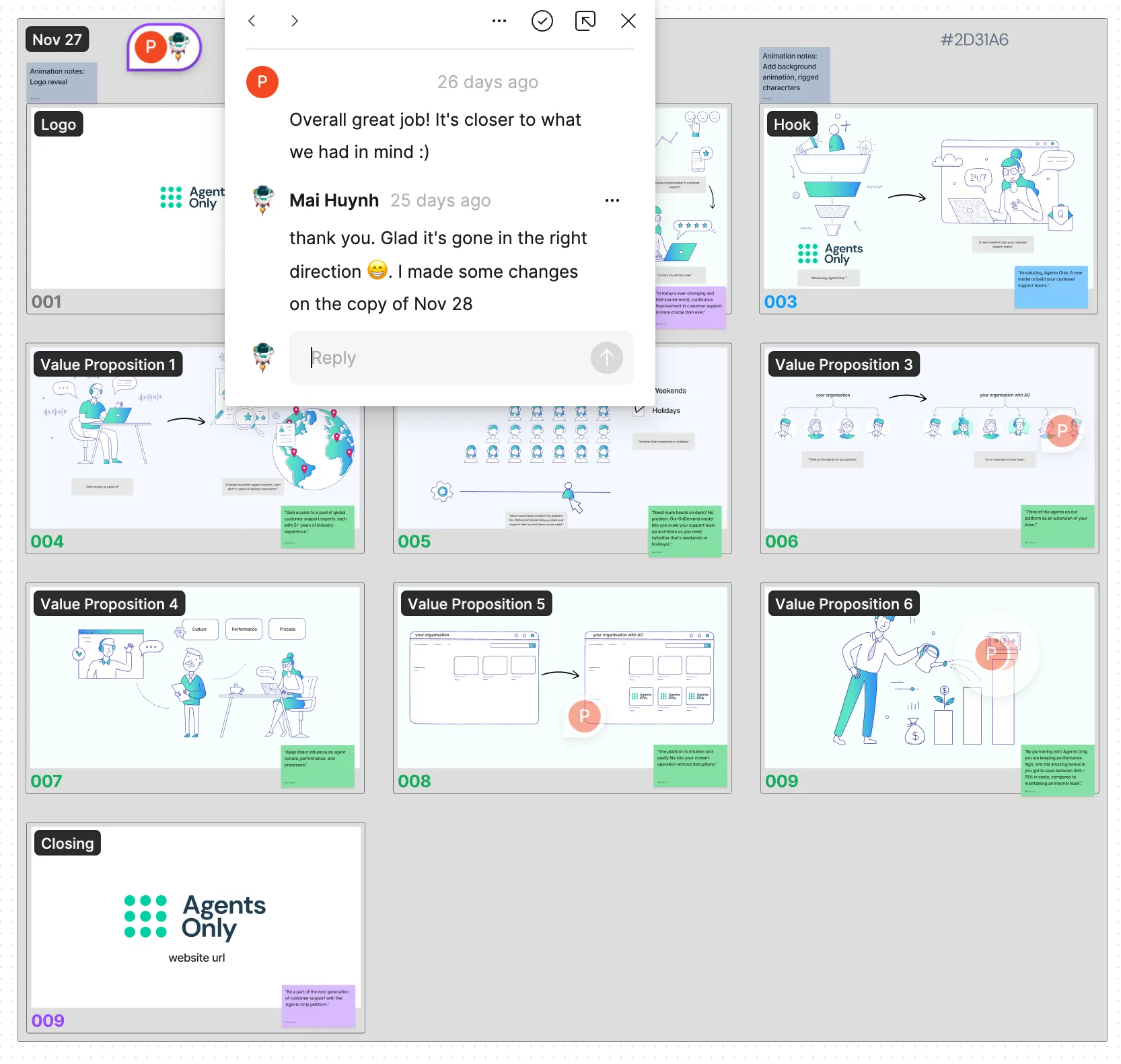
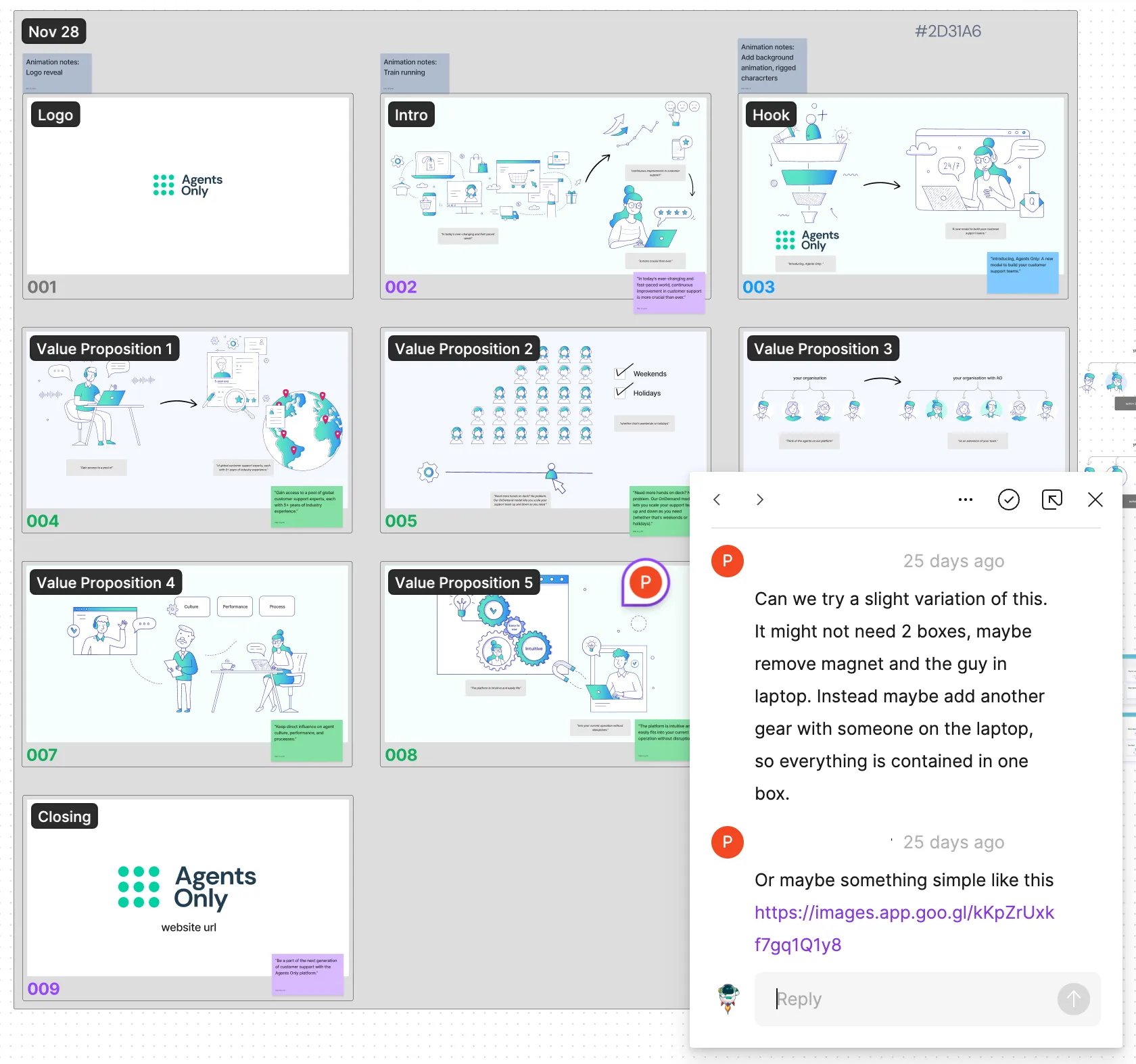
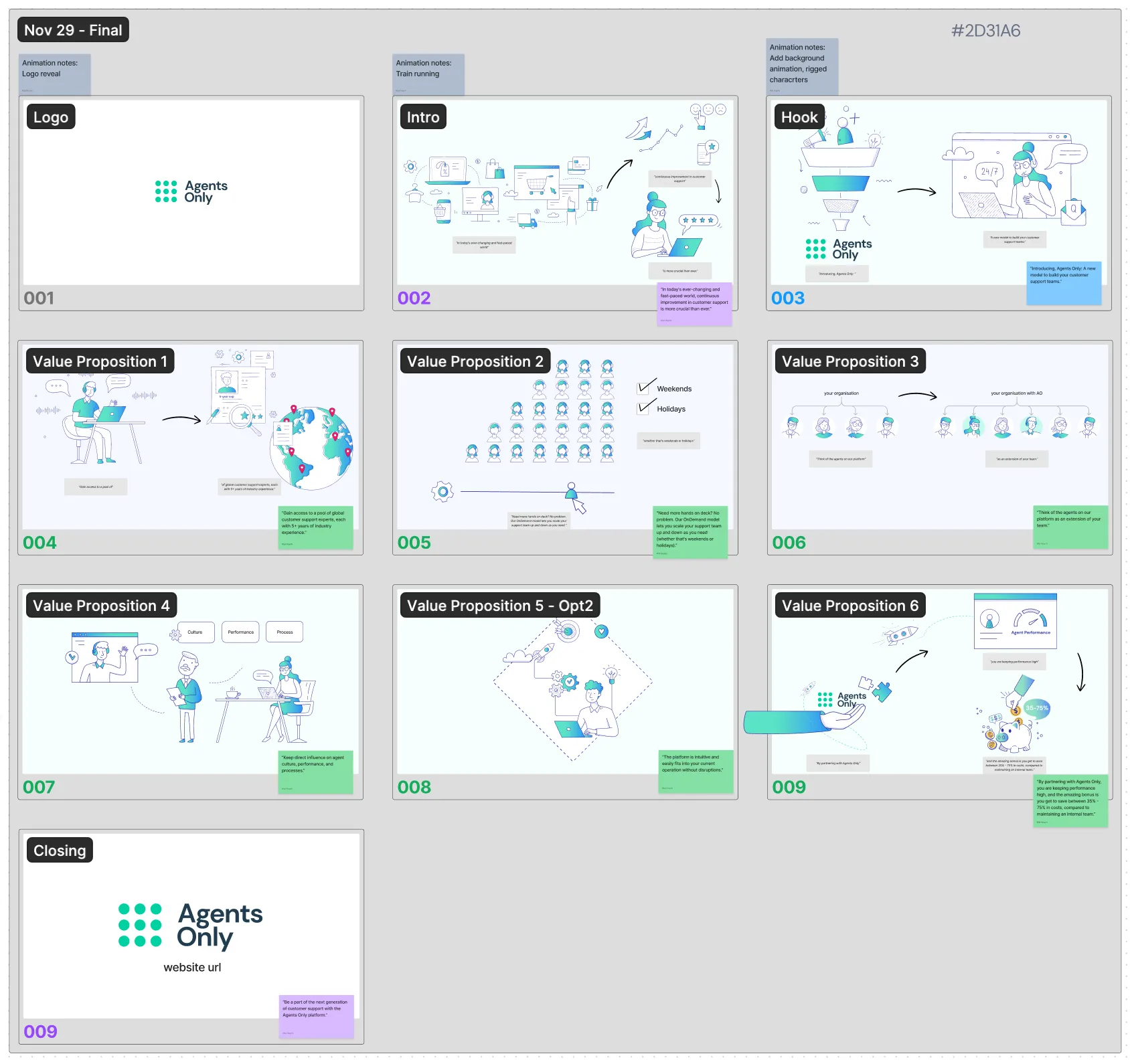 Details
- Create animations: I apply motion to these visuals, bringing them to life in line with the script with Adobe After Effects and Adobe Illustrator.
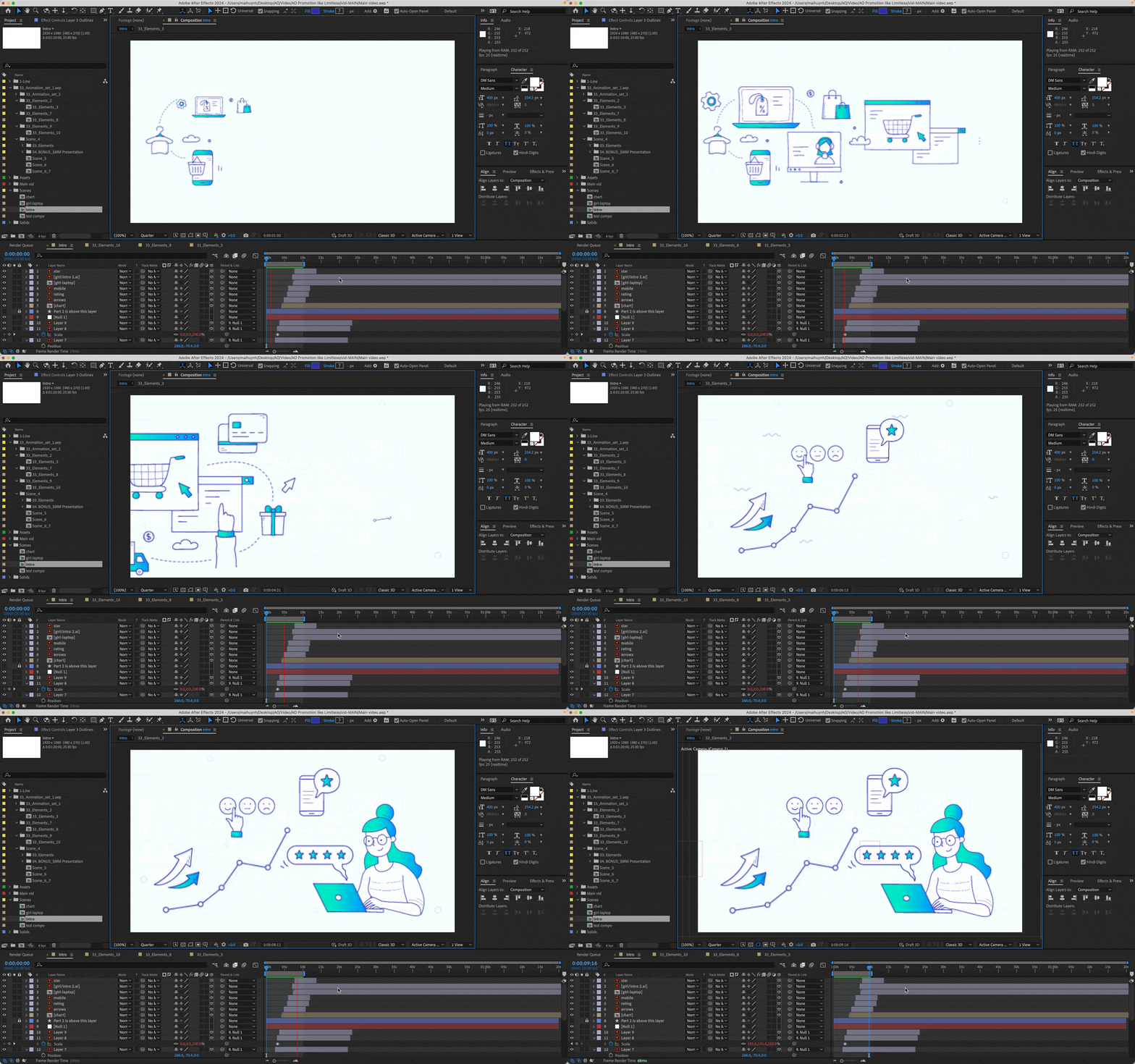
- Add audio: Incorporate sound elements like voiceovers, music, and sound effects to enhance the motion graphic.
After some research into AI voiceover service, I choose Wellsaid Labs for voiceover as I believe it produces the most natural human voice comparing with other similar sites.
Then the AI voiceover was further edited in Adobe Premiere Pro. I'm no audio mixing DJ nor expert, I solely follow some Youtube masters on this subject matter, including this tutorial, to enhance and deepen the voice, and remove some tinny robotic sound from the audio. - Review and edit: I review the preliminary version of the motion graphic, making edits to visuals, animations, and audio as needed.
- Export & share the 1st version of the video: Do this and hope for the best 😤. The feedback was overwhelmingly positive though.
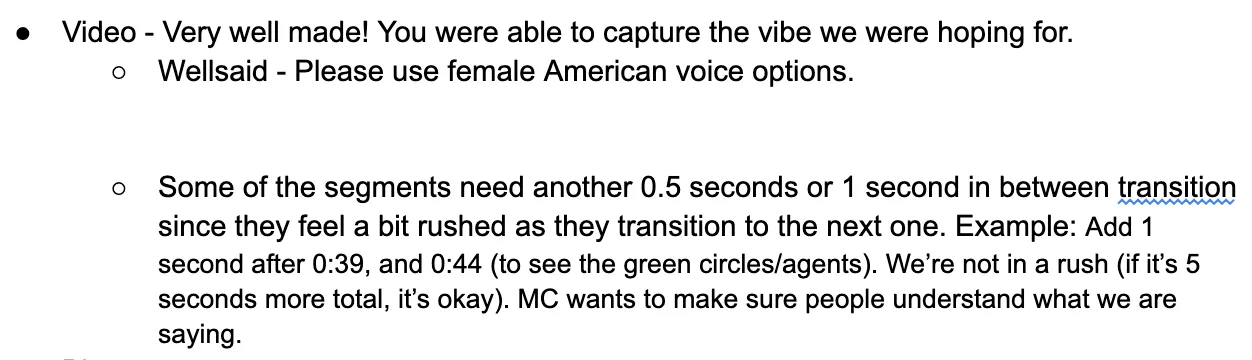 The feedback
- Make necessary changes: If during the review I find aspects that need refinement, I make the necessary changes before exporting the video again.
After this, it is a feedback loop where the CEO feedbacks and suggests changes to the animation, the pace or even the script. It is the total of 5 more times of the "editing 🔄 feedback" loop.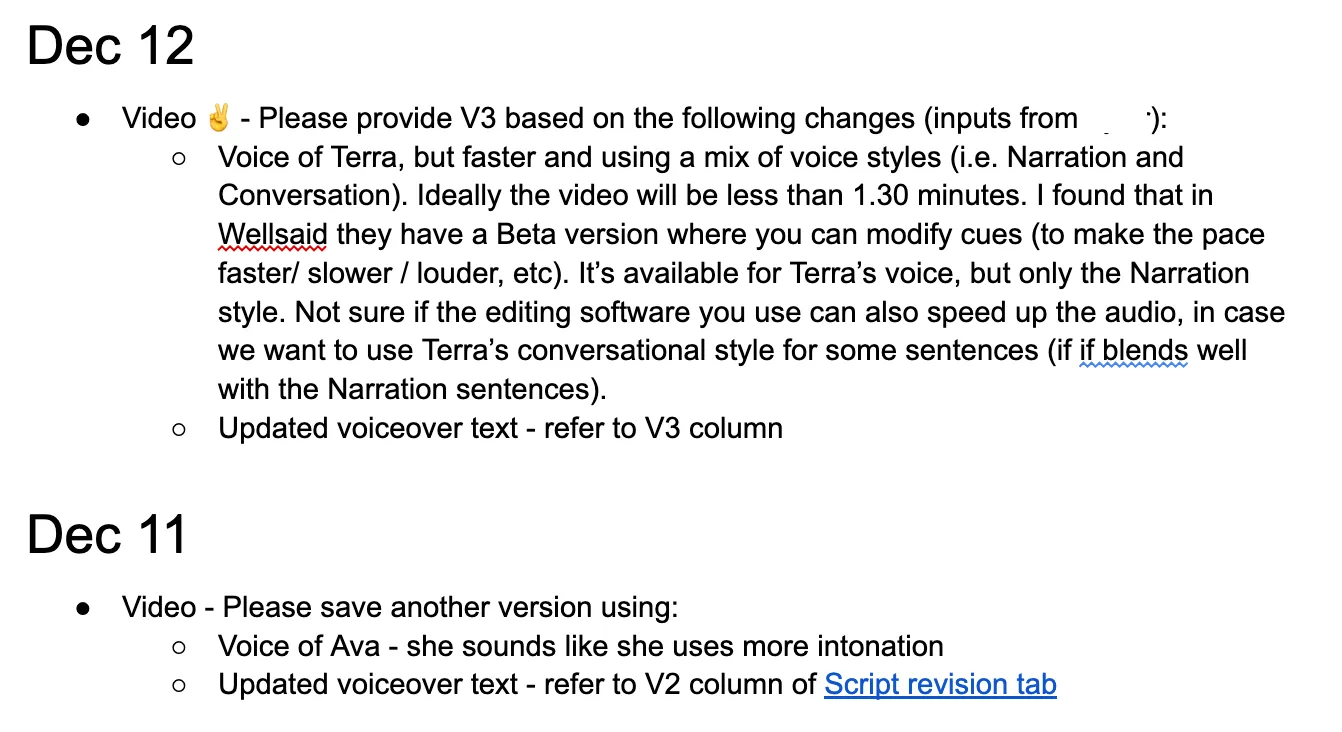
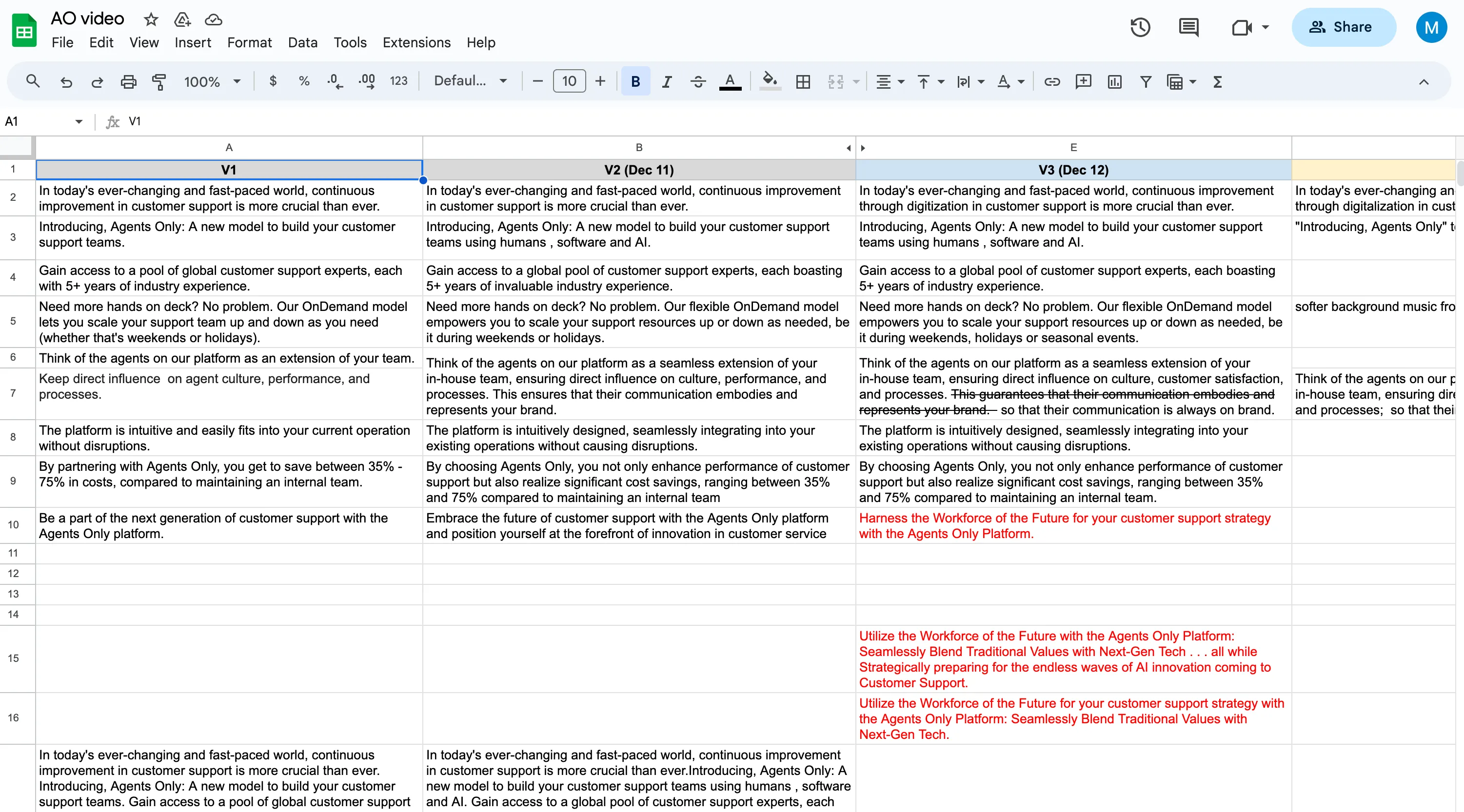 The iterations
04 / Outcome & reflections
Key Takeaways
✏️ Expanding Skill Set: Jumping into motion graphics is like adding a cool new tool to my belt. It's not just about making things look flashy; it's learning a trick that could make a usual designs pop and keep users hooked.
🎯 Understanding User Engagement: Playing with motion teaches me about what grabs people's attention. It's like learning a new language in design that can make my work speak louder without saying a word.
💥 Cross-Disciplinary Innovation: Stepping out of the comfort zone is like a design adventure. I might come back with some wild ideas that could shake things up in my other regular projects. Mixing it up keeps things fresh!
05 / Design decisions
More recent work
These are some of the work I haven't had time to write detailed workflow about.