Agents Only
A GigCX Platform
01 / OVERVIEW
Designing simulation assessments for Agents Only Marketplace
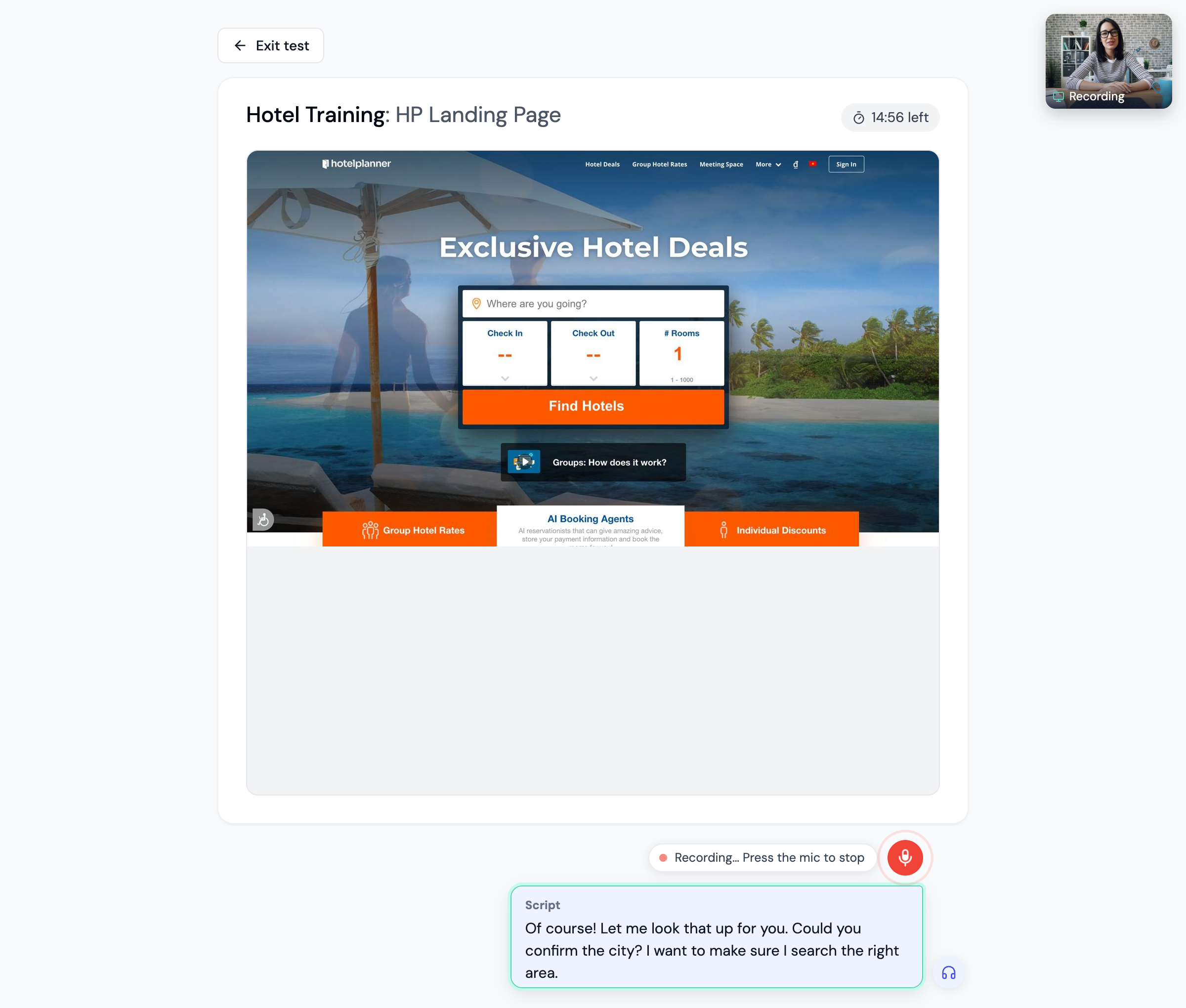
I designed three ways for agents to demonstrate their skills in Marketplace: handling a simulated call, working through a visual task, or doing both at once. I started with a short brief from the product owner and used AI to turn my UX decisions into a functional prototype I could update quickly and share through GitHub Pages.
Open the interactive HTML prototype on GitHub Pages →
The linked build follows the initial Marketplace scope. The proctoring screenshots below come from an earlier prototype.
02 / SIMULATION FORMATS
One assessment, three ways to take it
The three formats shared a basic journey: understand the task, complete any setup checks, take the assessment, then see the result. The complexity was in deciding what each format needed within that journey.
Audio: Listen to a simulated customer and respond aloud. Check speakers and microphone before starting, and make it clear when the agent can speak.
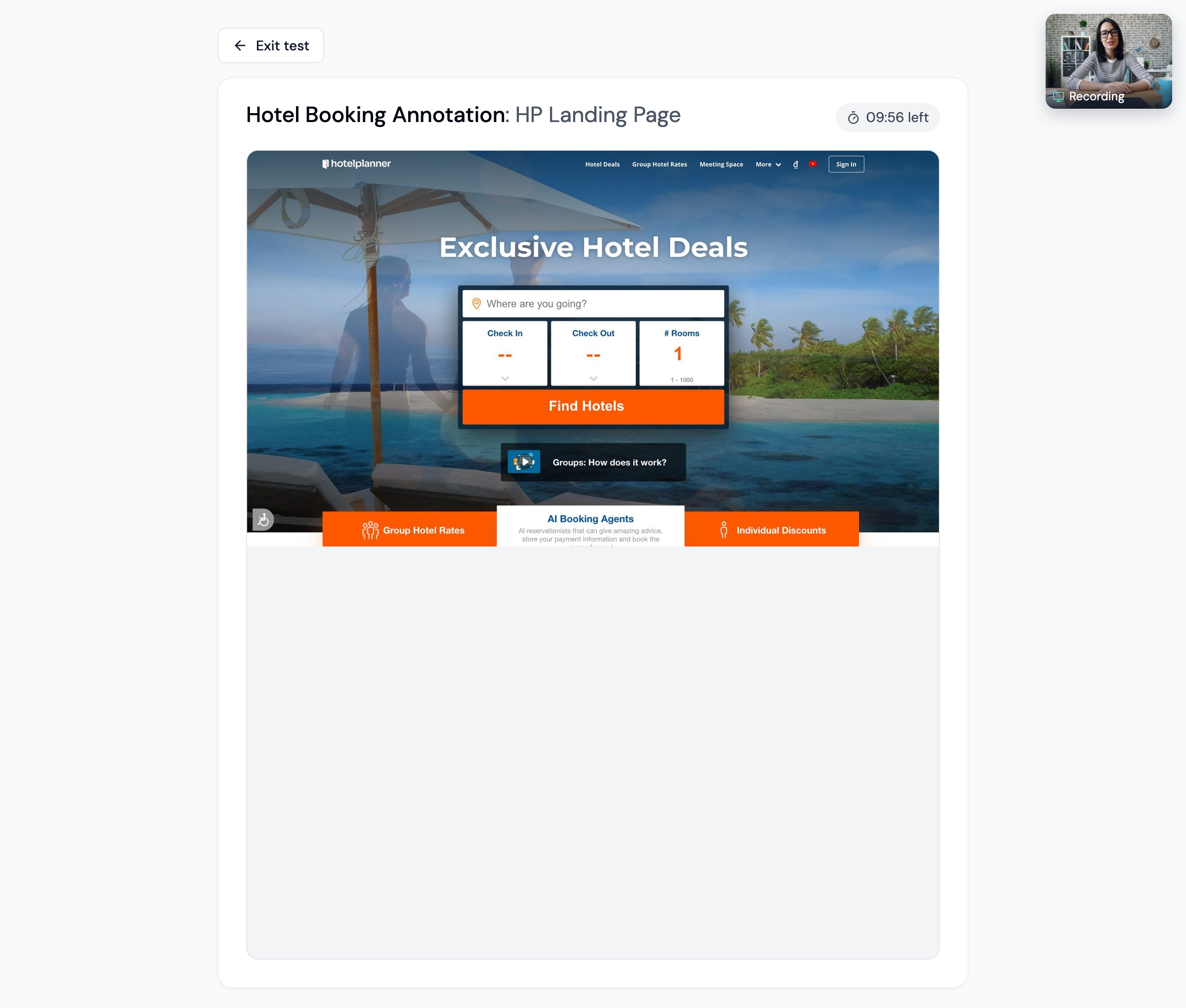
Image: Work through a task using interactive screens. Guide the agent through the screens and provide a way to recover if one fails to load.
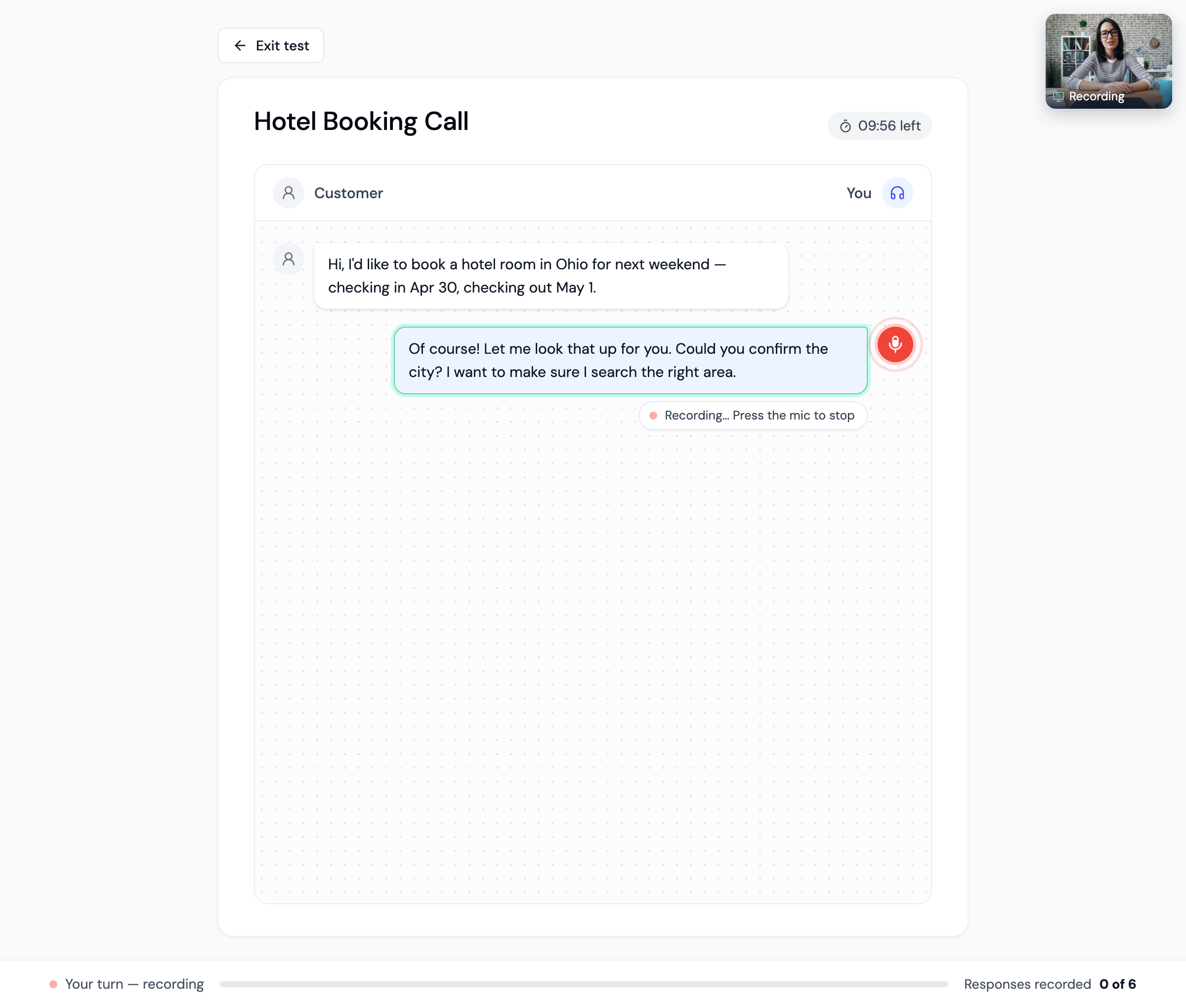
Audio & Image: Handle a call while working through an on-screen task. Keep the call controls accessible without covering the screen the agent needs to use.
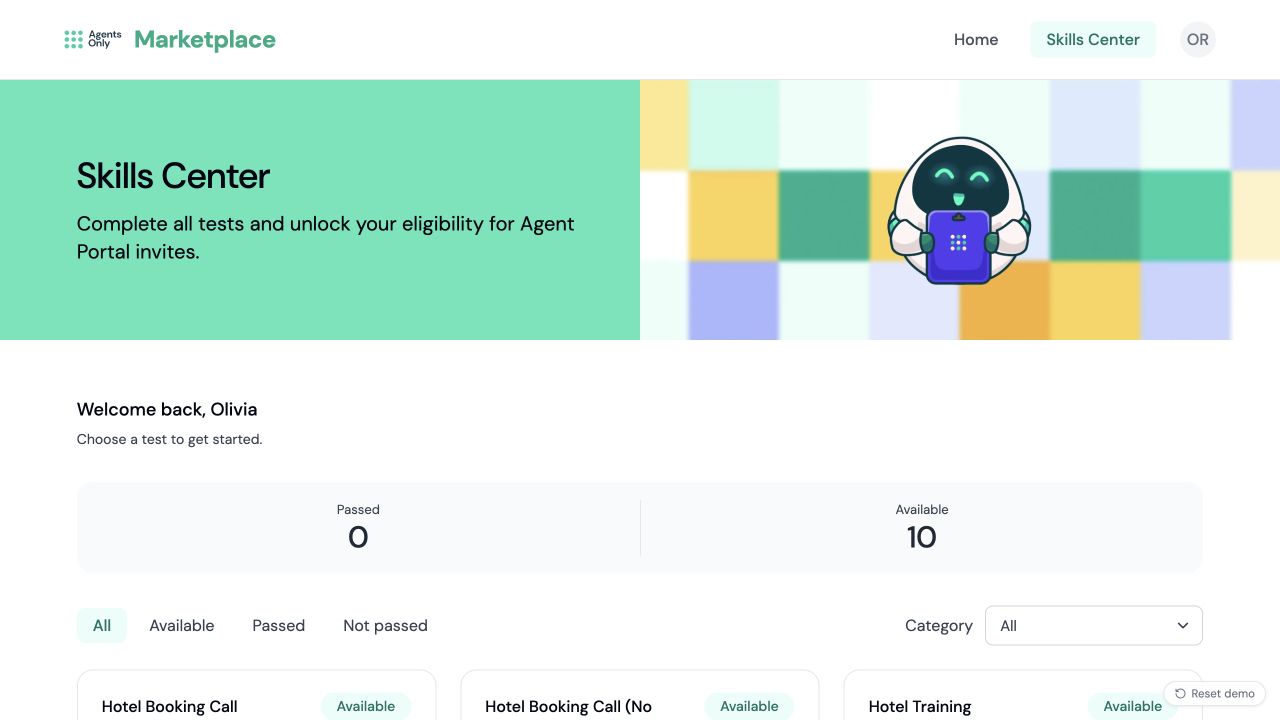
The combined format made the overlap between the flows concrete. It needed the audio checks of a call and the interactive screens of the image simulation. I placed the call controls below the task screen so the agent could manage the conversation without losing sight of the work.
03 / VALIDATION
Designing for interruptions
I mapped what could go wrong at each step, what the agent should see, and what they should do next. For example, the audio checks gate the Start button, with a hint explaining which checks are still needed. If a task screen fails to load, the image simulation pauses the timer and offers Try again. The agent gets a clear recovery path and doesn’t lose assessment time while waiting for a screen.
These rules mattered as much as the main flow. A screen can show a disabled button or an error message. A working prototype lets a reviewer see what triggers it, try the recovery action, and check where the flow takes them afterward.
04 / PROCTORING
Making proctoring understandable
I also designed and prototyped a proctored version. Before the test starts, it explains that the camera, microphone, and entire screen will be recorded until submission. A setup checklist guides the agent through the device checks and gives specific feedback when something needs attention.
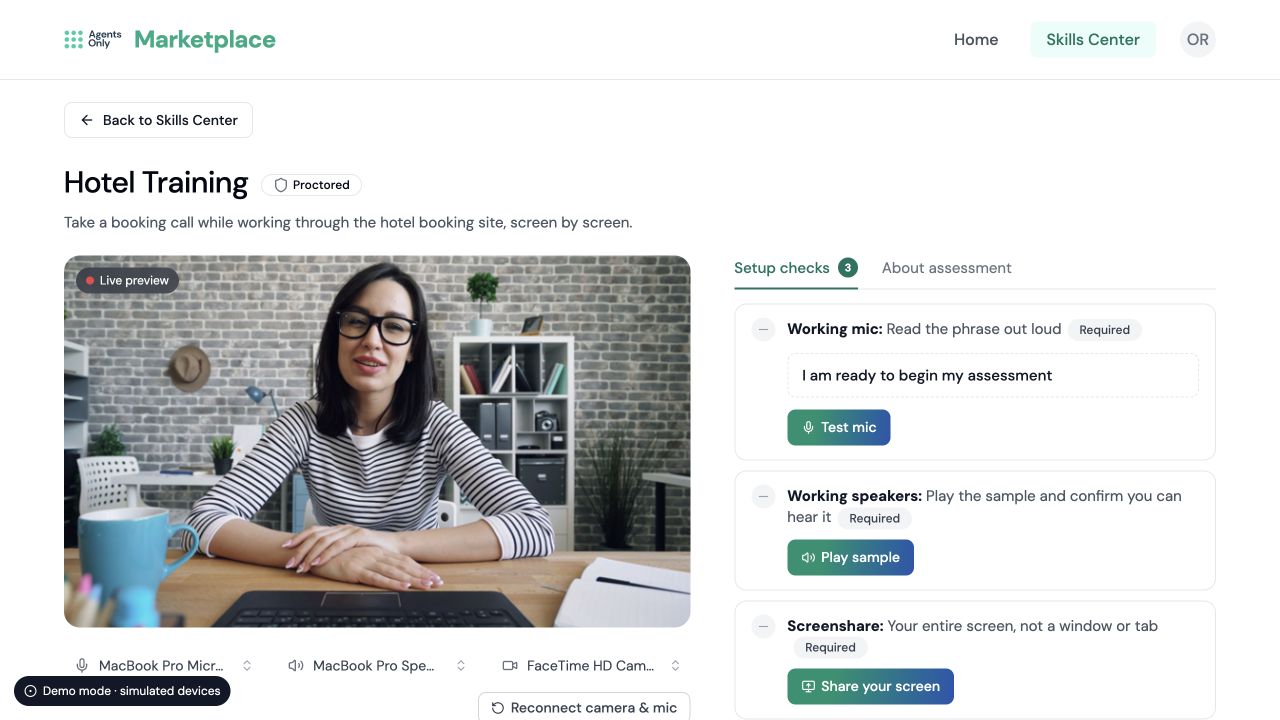
Screen sharing is a good example. The browser offers a tab, a window, or the entire screen. The assessment requires the entire screen, so the prototype explains what to select and gives different feedback if the agent cancels or picks the wrong option. If screen sharing stops during the test, the assessment pauses and tells the agent how to resume. A camera interruption also pauses the test, with a recovery action specific to the camera.
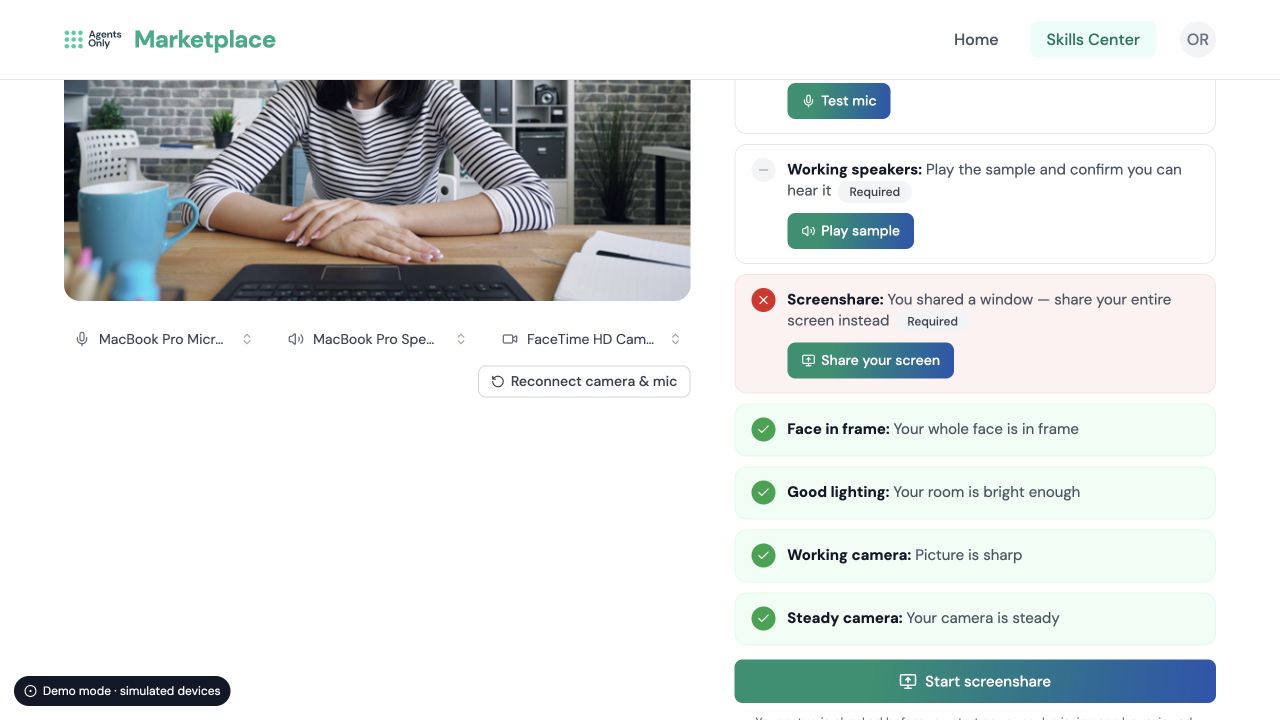
The proctored prototype has a demo mode that simulates device checks and screen sharing. That gave reviewers a way to try the setup and recovery flows without granting real device permissions. Proctoring was explored in the prototype and later deferred from the initial Marketplace scope.
05 / AI WORKFLOW
Using AI to make the flow reviewable
I used Figma MCP to bring design context into the AI workflow. I could point Claude Code at specific Figma frames when discussing a change, so the conversation started from the actual screen, controls, and copy. That helped me compare the Audio, Image, and Audio & Image designs and decide which steps should be shared and which needed their own treatment.
I used Claude Code to implement those decisions in the HTML prototype. I described changes as rules the reviewer could exercise in a browser: what triggers a state, what feedback the agent gets, which action is available next, and when the assessment can resume. For screen sharing, that meant checking several paths together. Canceling the picker leaves setup incomplete. Choosing a window prompts the agent to share the entire screen. Losing the share after the test starts pauses the assessment and offers a way to reconnect. The simulated device mode made those branches repeatable during a review.
That workflow also helped when the scope changed. When proctoring was deferred, the combined Audio & Image assessment still needed a way to check speakers and microphone before an agent could start. The prototype already had an audio check for the Audio simulation. I could use Claude Code to reuse that behavior in the combined flow and review the new starting sequence without redesigning the rest of the assessment.
GitHub Pages gave reviewers one link they could open and try in a browser. I could revise the prototype as feedback came in, then share the updated flow with its validation and recovery states intact. The Figma designs gave us a reference for what the interface should look like. The HTML prototype gave us something we could use to discuss how it should behave.
From design context to a reviewable prototype
01 · READ
Figma MCP
Bring the relevant frames, controls, and copy into the conversation.
02 · BUILD
Claude Code
Turn UX rules into HTML states reviewers can trigger and retry.
03 · SHARE
GitHub Pages
Give reviewers one link to try the flow and its recovery paths.
↺ Review feedback informs the next design and prototype update.
06 / REFLECTION
What this work shows
Starting from a short brief, I designed a shared assessment journey, worked through where the three formats needed different behavior, and made the validation and recovery rules tangible. AI helped me build and revise the prototype quickly enough to use it as part of the design process. My job was to decide how the experience should work when everything goes smoothly and when an agent needs a way back into the task.
One journey, three assessment formats
Brief → Setup → Assessment → Result
AUDIO
Check sound
Confirm speakers and microphone before enabling Start.
IMAGE
Recover from load errors
Pause the timer and offer Try again if a task screen fails to load.
AUDIO + IMAGE
Keep both tasks in view
Run the audio checks and keep call controls below the task screen.