Design System
Architecture
MY ROLE
Design system architecture and component migration
FOCUS
A shared master library with agent and client extensions
EVIDENCE
Linked component libraries, migration work, and team documentation
FEATURED CASE STUDIES
Crafting a Cohesive Design System
01 / Problem & constraints
The Problem
As a startup, Agents Only had been laser-focused on getting core features up and running. Design, while important, took a backseat as we raced to develop our 2-sided platform (Agent Portal and Client Portal). This was a practical decision; you've got to build the engine before you worry about the paint job, right?
When I first joined Agents Only, though I tried to persuade the founder to give me some time to build the design system so that our platform can benefits in long-term, he cautiously refused, which was understandable because Design System is something that doesn't yield actual screens for developers to work with.
Fast forward to now, since we got more clients onboarding and setting up their own projects, the inconsistencies between the 2 portals started to show and questions from clients about the differences between the 2 portals also start to pile up.
The problem got exacerbated when I was given more features from Client Portal to build as it was previously handle by another designer who hadn't used Design System, at all, up to that point. I remembered making a 16-min Loom to explain to the PO and founder about the inconsistencies between the 2 portals in terms of UI, and what to do about them.
02 / Problem & constraints
The Challenge
"Is it really necessary to create 2 separate Design System for the 2 portals?"
Design debts started to pile up. With two designers working independently on the client and agent portals, our Figma practices diverged significantly. My colleague in the design team faced a steep learning curve and struggled to apply an effective design system.
I had to come up with a way of distribute the Design System and those shared components between 2 portals but it must still give me the ability to manage the 2 files without affecting my colleague's process too much and overwhelming her.
The question came to me was "Is it really necessary to create 2 separate Design System for the 2 portals?".
03 / Research & approach
The Thinking Process
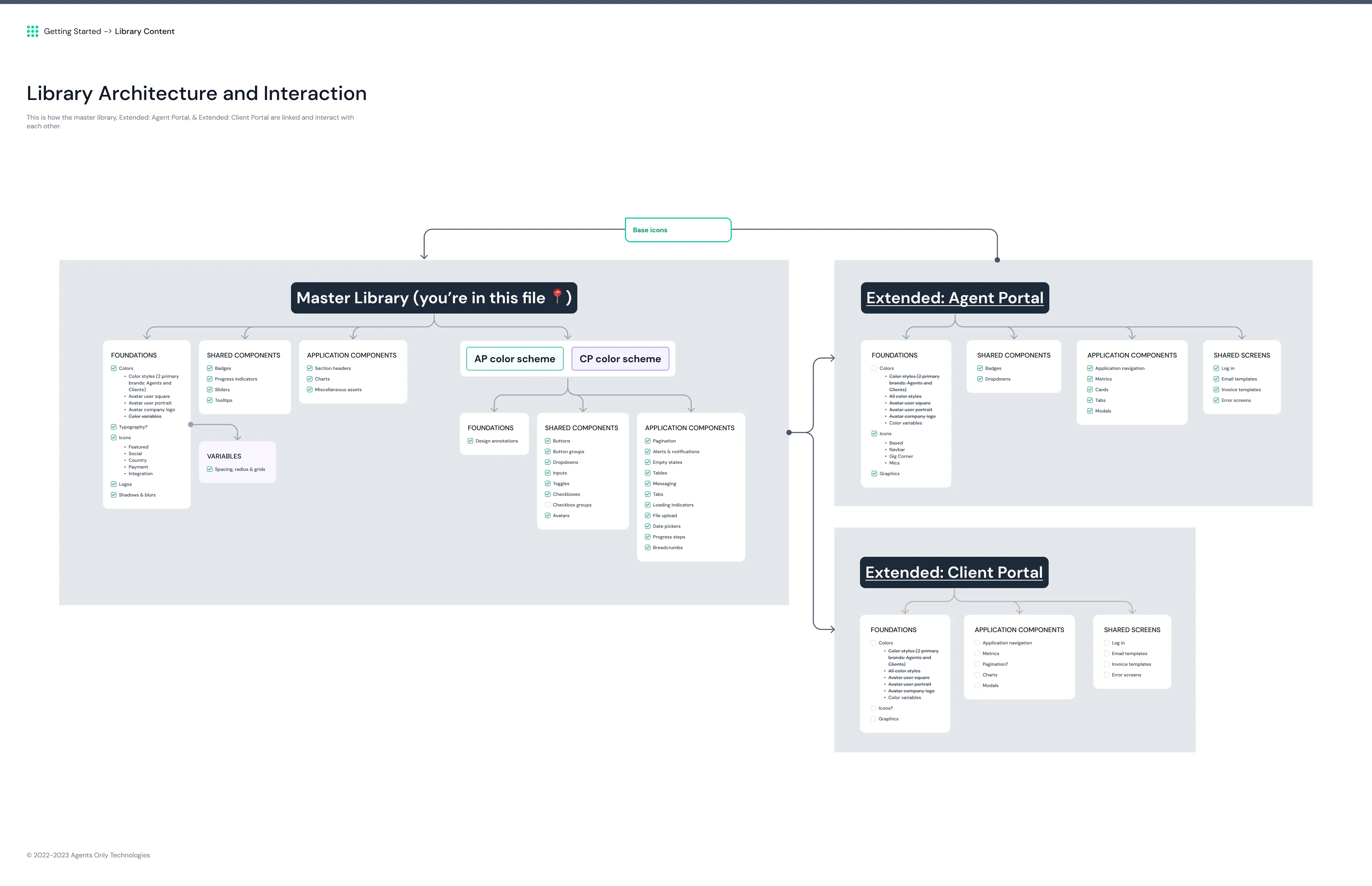
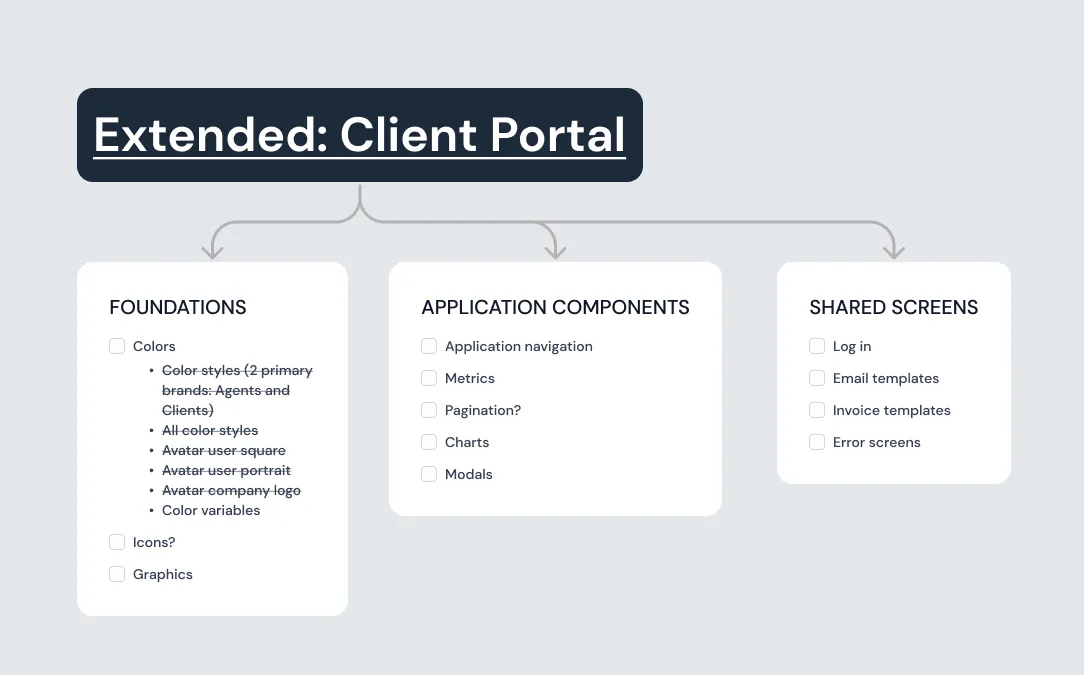
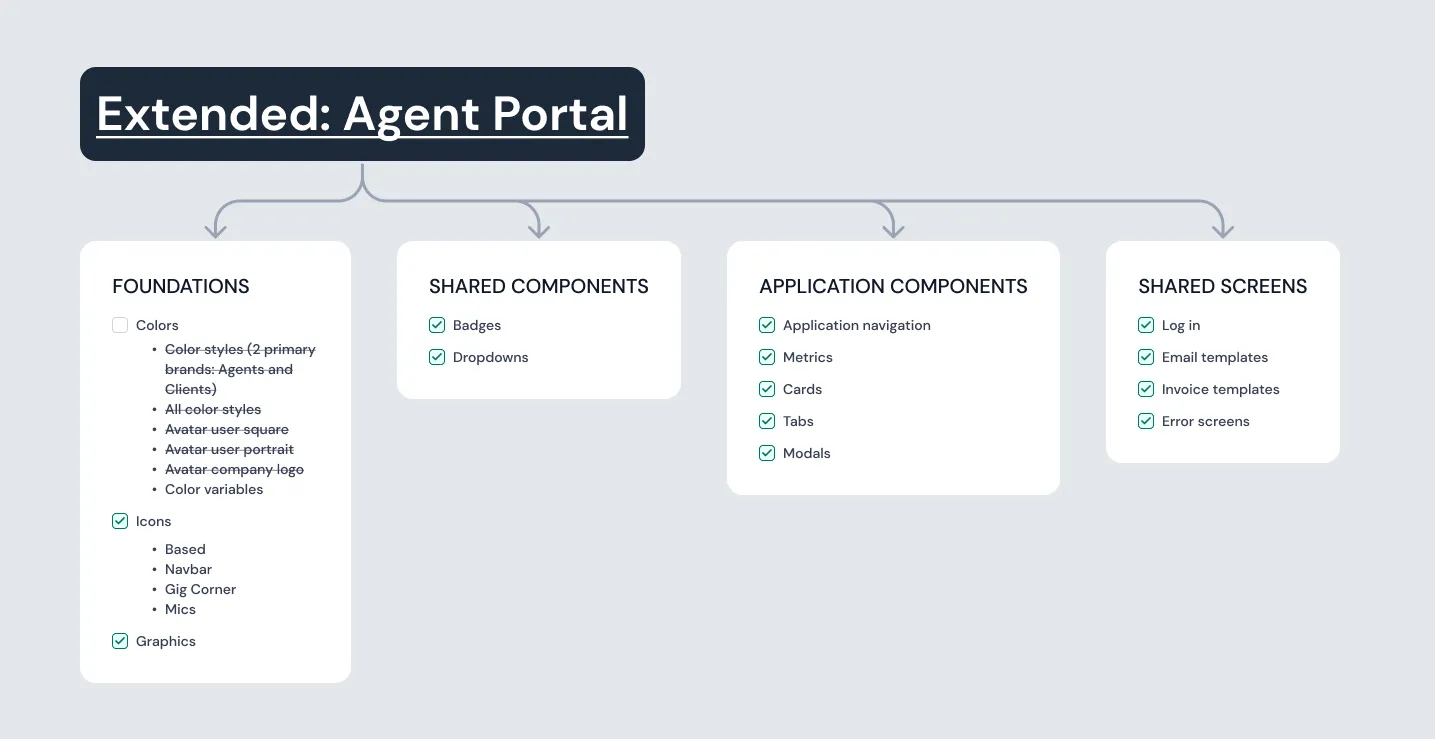
I took a step back and decided against two separate design systems. Instead, I created a 'Master Library' housing all shared components. From this foundation, I branched out to two separate files for the client and agent portals, allowing for unique customizations like mascots and navigation bars. This approach meant the junior designer and I could still independently craft distinct components in the extended files, without being overwhelmed.

My design thinking process, which leads to the "How to?". - PDF file
04 / Design decisions
How to?
When it's time get our design components in line, I turned to Figma's documentation on migration process. It was definitely scary at first, like the old saying "Please proceed with caution" as there's a huge risk of breaking all of the linked components in ALL of our designs.
Here's how I tackled it:
- Duplication: I duplicated our existing Figma file, which was a bit like setting the foundation of a new home. This duplicate would serve as our new Master Library - the central repository from which all our shared elements would originate.
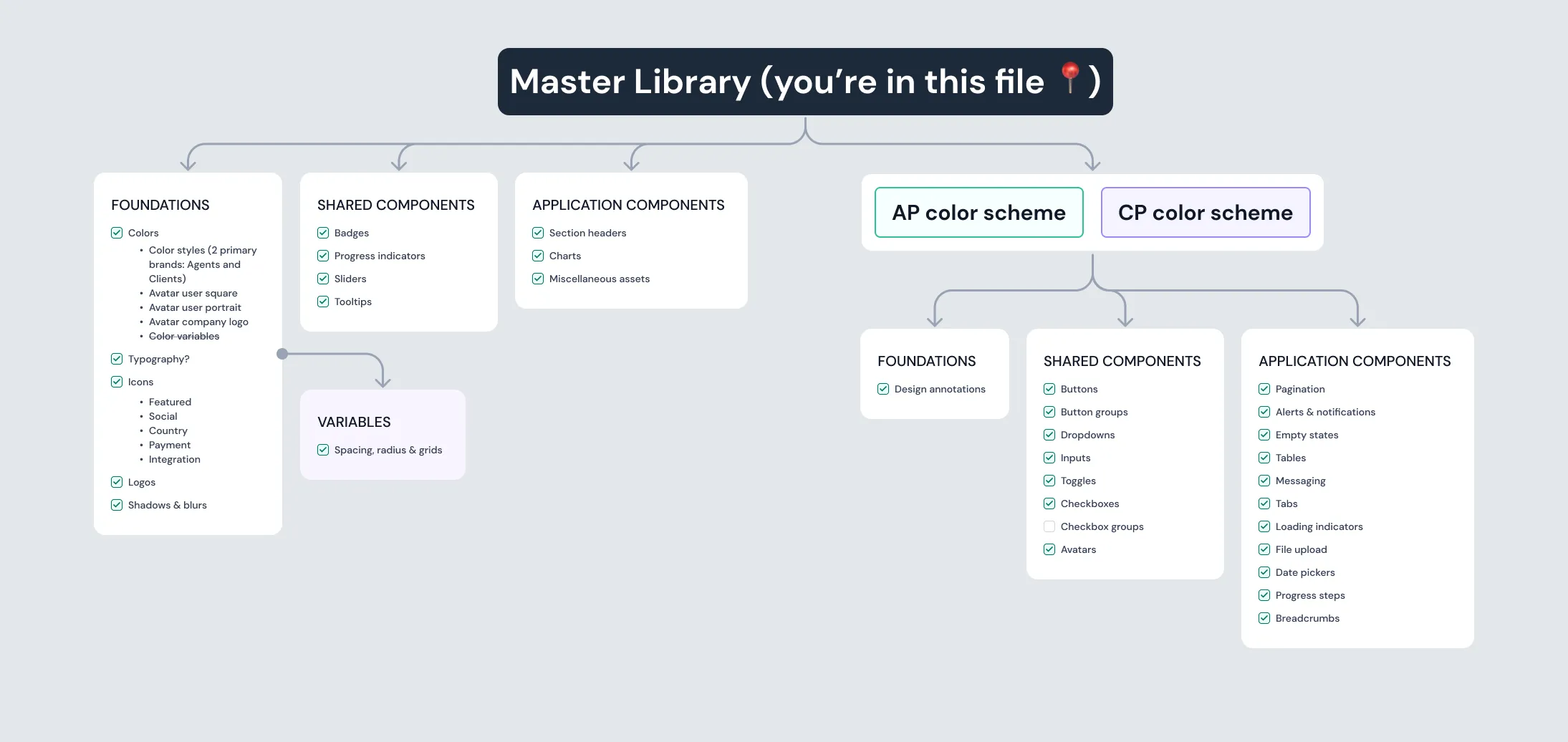
- Branching Agent Extended and Client Extended: From the Master file, I created separate checklists for each library. At the same time, I carefully analysed which elements should go to which file. Thanks to this process, I cleaned up quite a lot of redundant components in our outdated system.I have a lot of discussions with the other designer to make sure our communication went thorough with the new Design System. I consulted her with some changes in her design and mine to have a consistent value in the end.
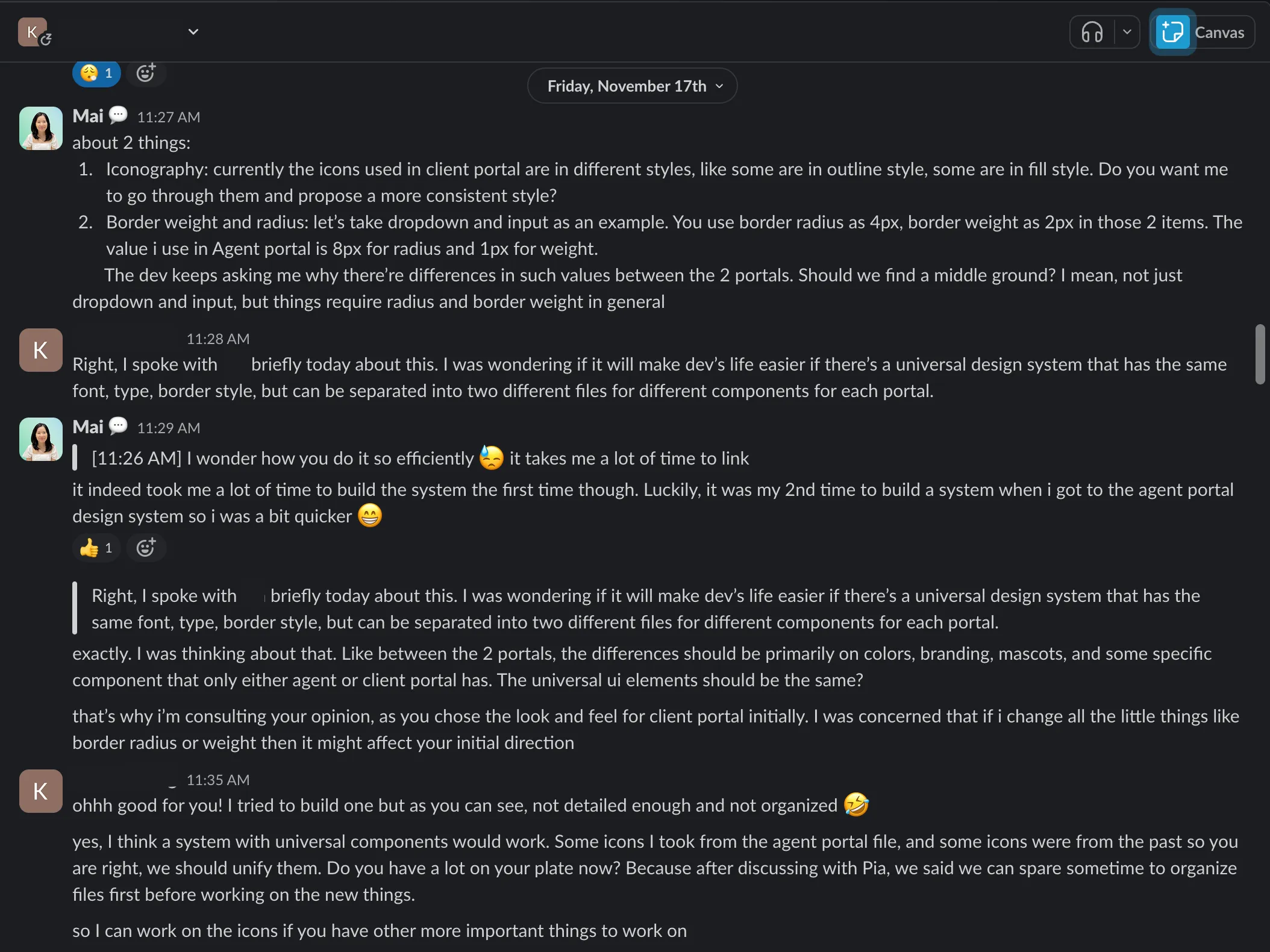
- Relinking Components: Next up was relinking. This step felt similar to redirecting mail to a new address. I went into our existing client and agent files and relinked the components to the newly created Master Library. It ensured that all the design elements would still receive updates from the master source.
- Publishing & Sharing: With everything linked up to the Master Library, I published the library, along with the extended files. This made it accessible to my teammate and me, ensuring we were both pulling from the same source of truth.
- Maintaining Relationships: Just as important as moving in was keeping the connection with our old place. I carefully maintained the links to the old components during the transition. By doing so, we didn't lose any history or context from our previous design efforts.
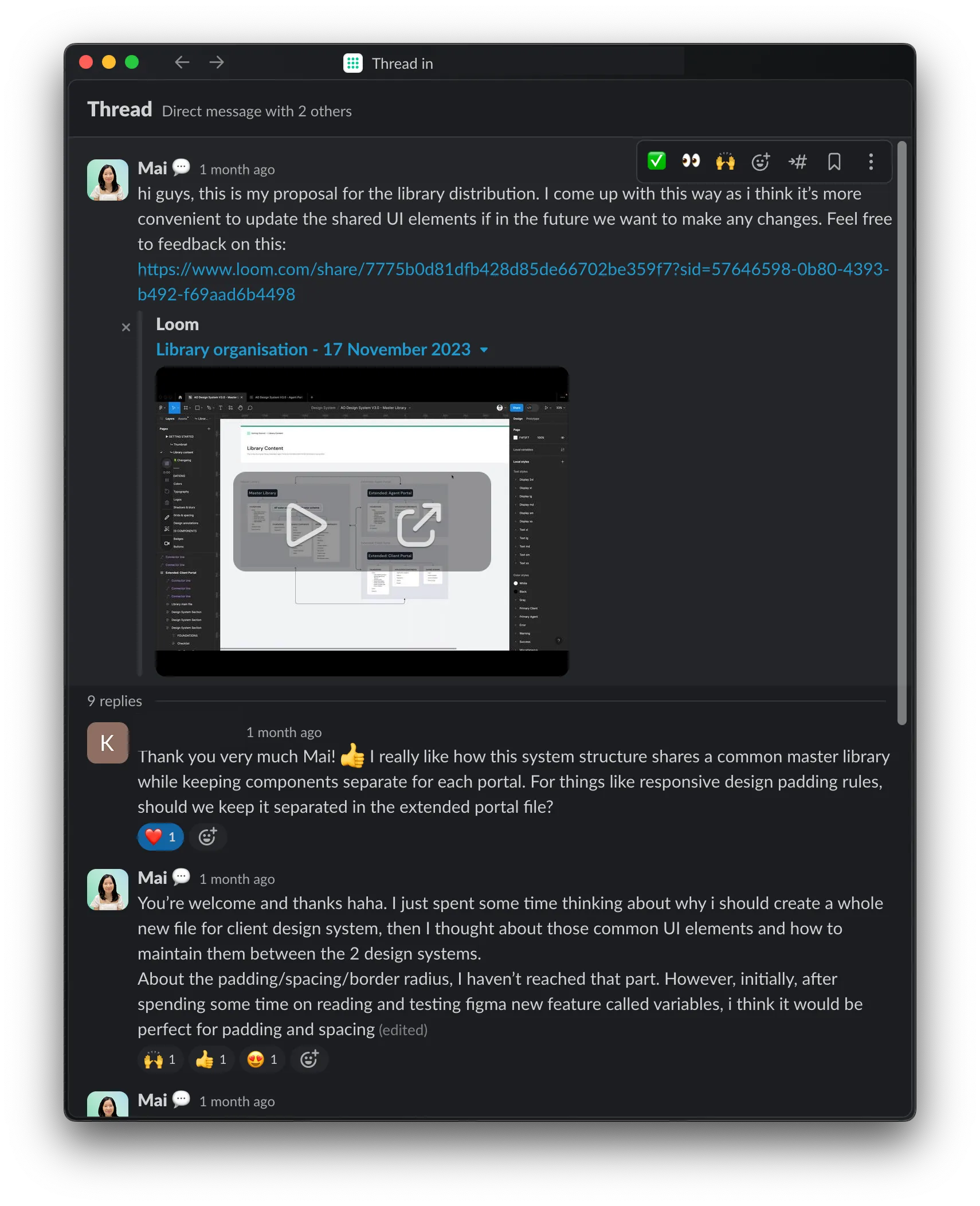
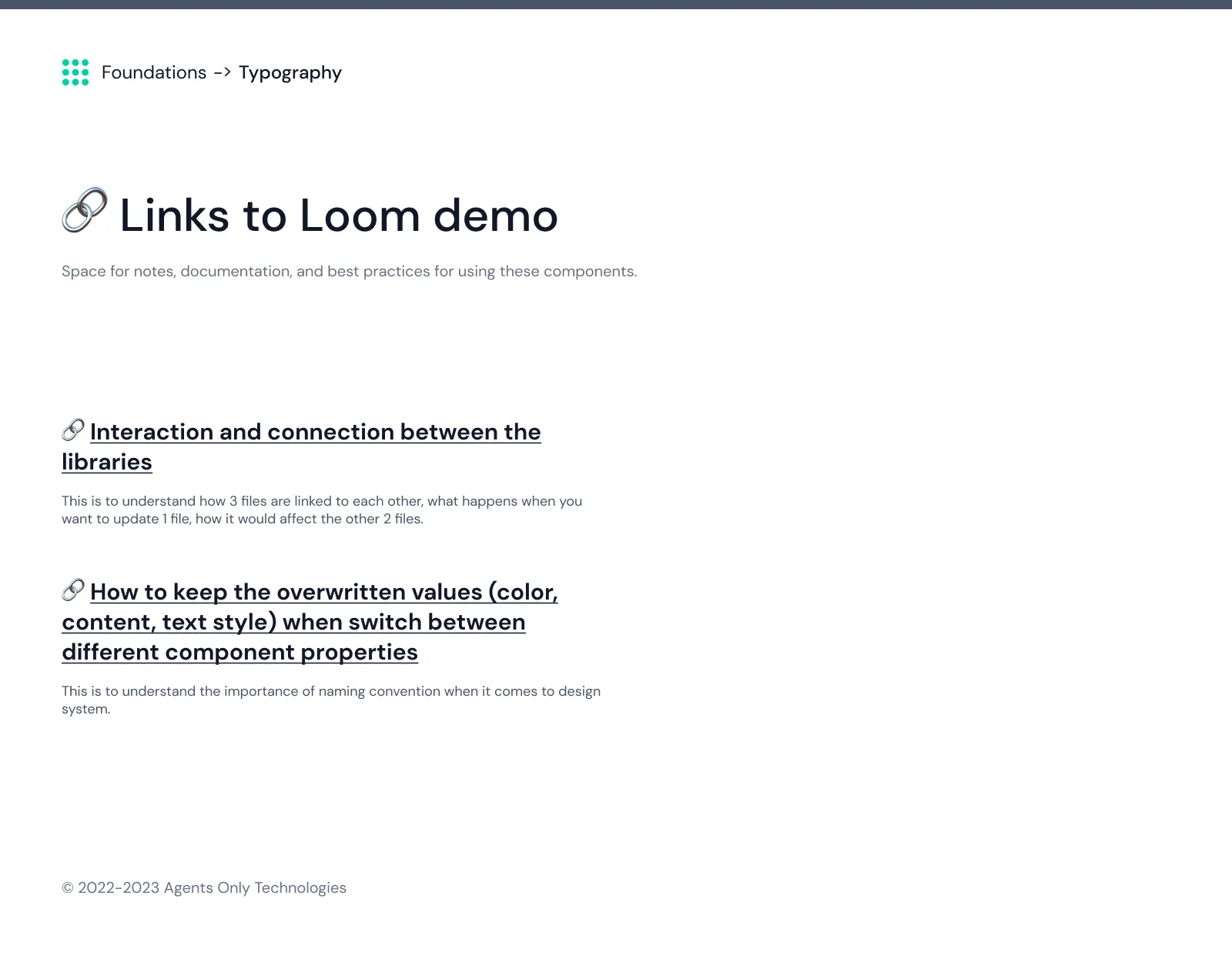
- Team Coordination: Once the design components were snugly in place in our new Master Library, it was crucial to bring the whole team on board. Instead of gathering everyone for a live walkthrough, I decided to harness the power of Loom - in my opinion the most effective way to communicate for remote work.
With Loom, I recorded a series of videos that not only showcased the revamped design system but also demonstrated how the linked components interacted with each other. These videos served as guided tours for both our design and development teams, providing them with a clear visual and verbal guide on navigating the new system.
I highlighted how changes in the Master Library would ripple through to the client and agent portals, ensuring everyone understood the impact of their design decisions. These Loom videos became our digital handbook, easy to refer to and perfect for visual learners, which was especially helpful for our junior designer.
This approach also meant that my team members could digest the updates at their own pace and on their own time, providing a reference they could return to whenever they needed a refresher. It was a way to ensure that despite our different schedules and workflows, we were all in sync and moving forward together in this new chapter of our design journey.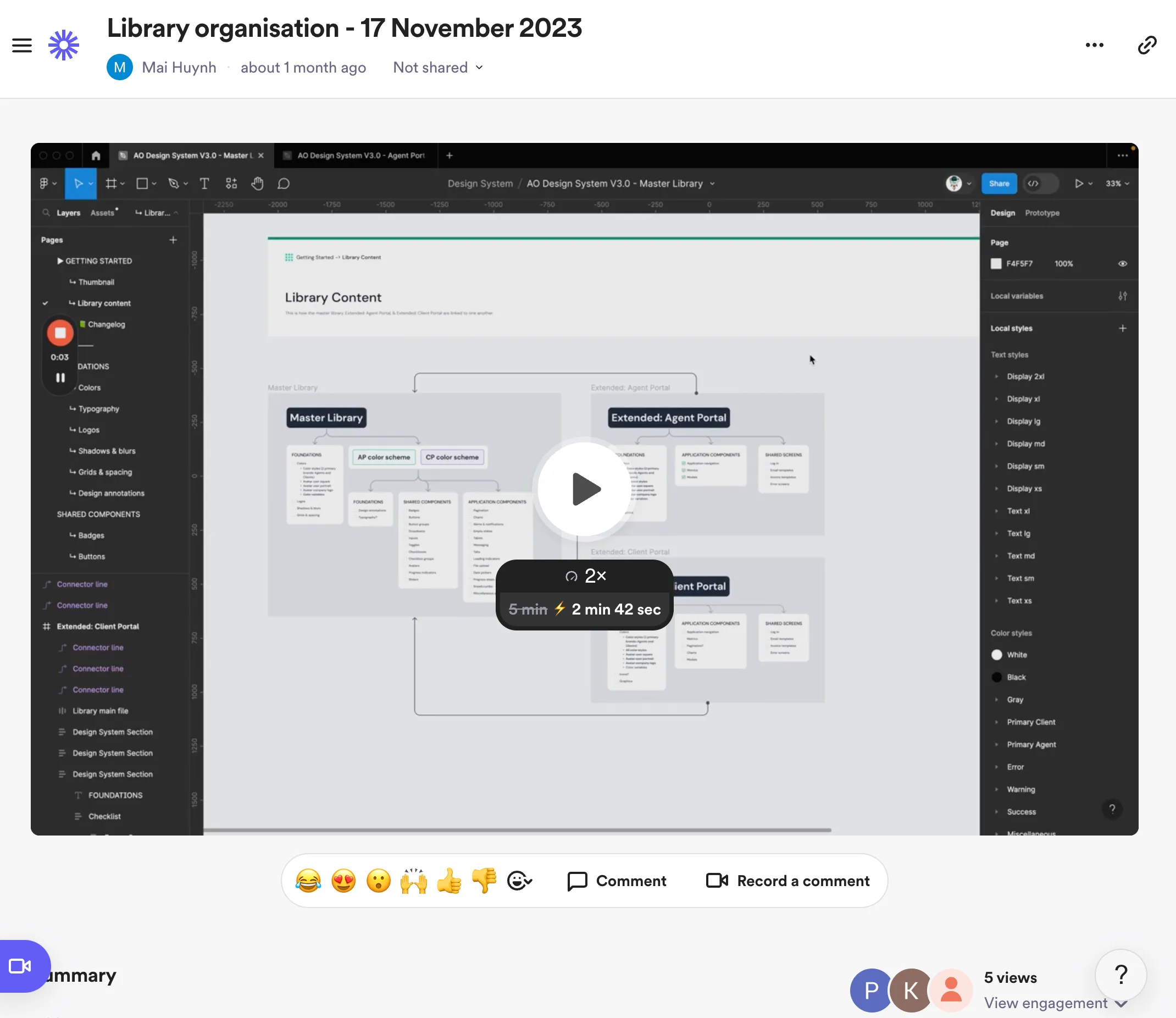 I also created a table of content for each of the 3 linked files so that any new comer in the team can easily catch up with our Design System.
Writing and recording documentations sometimes can seem like a daunting task but I can see the benefits it brings right away at the moment I start making them. The effort pays off for sure.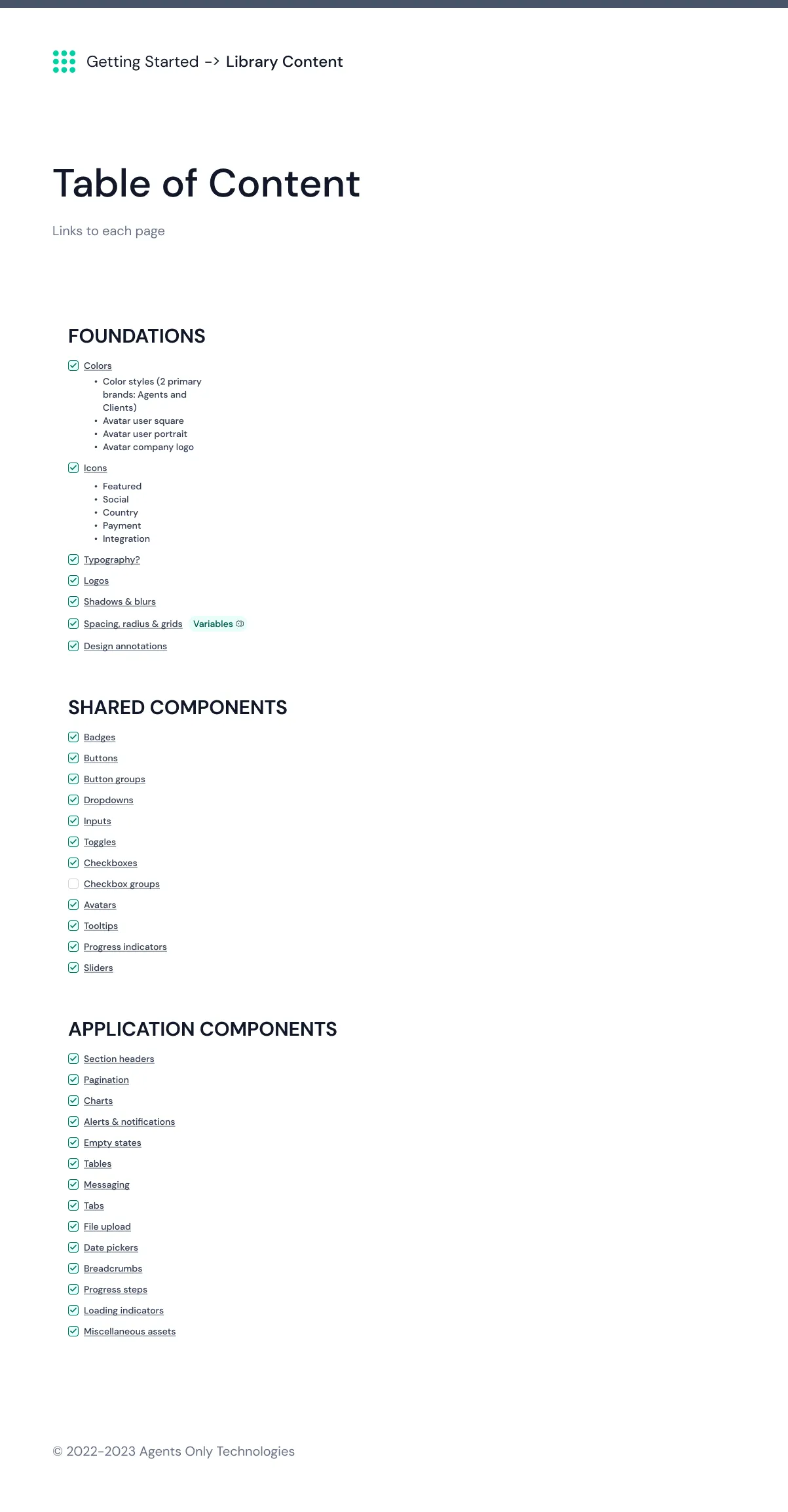
Final result
05 / Outcome & reflections
Key Takeaways
✏️ Merging into a three-file structure—the Master Library, and the extended agent and client libraries—ensures uniformity and supports individual customization.
📺 Instructional videos via Loom effectively train and align the team with the new system.
🎯 The transition to a unified Design System is a step towards a more scalable and cohesive user experience, despite the initial complexity and learning curve it introduces.